Topic:
This How-To article provides instructions on how to execute SQL search query on the database:
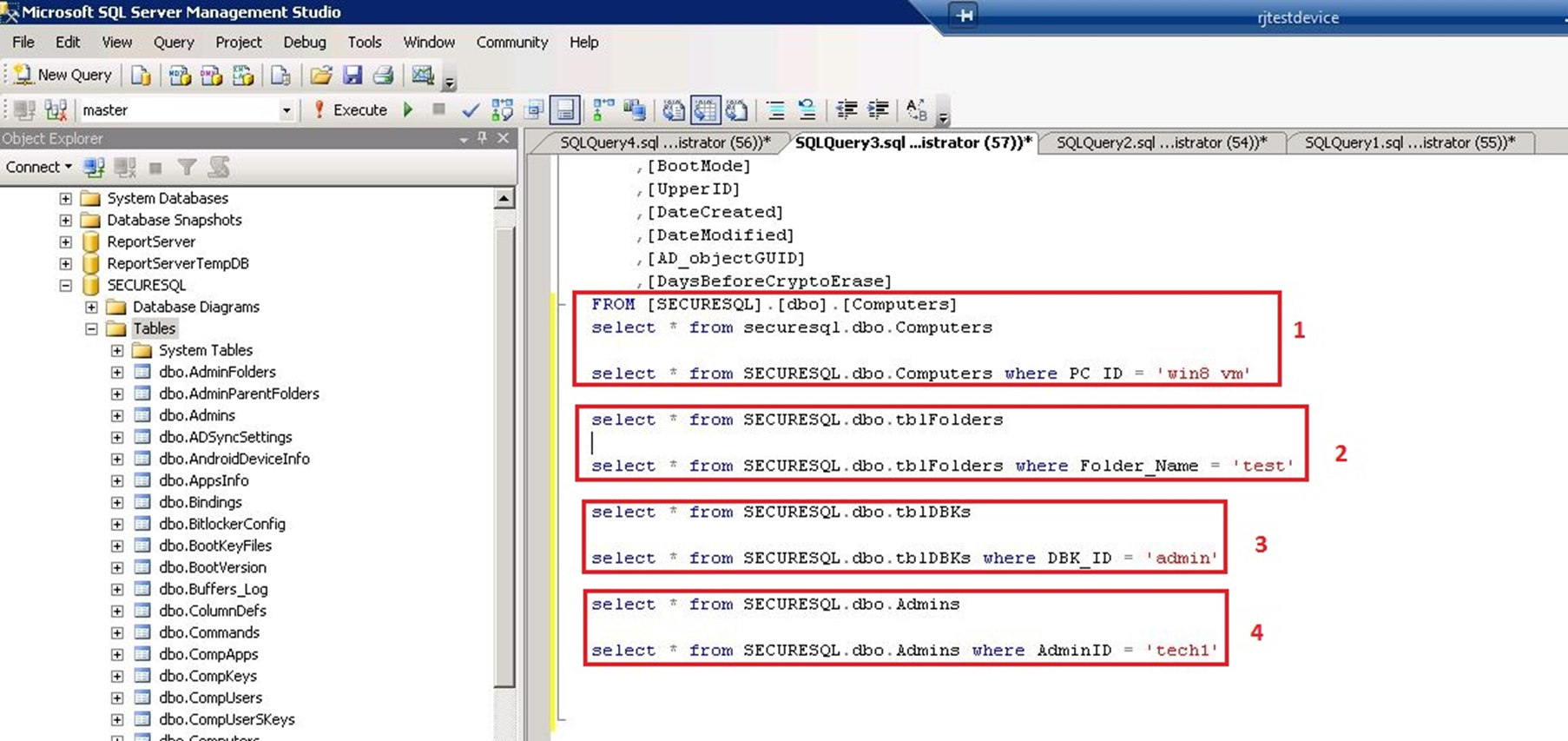
These queries are used to search for specific devices, folders, users and admin accounts.
Supported Product version:
All SES versions
Environment:
SQL express and full version of SQL 2008/2012
Steps to follow:
To list all of the devices:
Database > Tables > dbo.Computers > Right click and ‘select Top 1000 Rows’
Select * from [databasename].dbo.computers
i.e. Select * from securesql.dbo.computers
To search for specific devices:
Database > Tables > dbo.Computers > Right click and ‘select Top 1000 Rows’
Select * from [databasename].dbo.computers where PC_ID = ‘computername’
i.e. PC_ID: ‘win8_vm’
To find the entire list of folders:
Select * from [databasename].dbo.tblfolders
To search for a specific folder:
Select * from [databasename].dbo.tblfolders where Folder_Name = ‘foldername’
i.e. Folder_Name=’test’
To search for the entire list of userids:
Select * from [databasename].dbo.tbldbks
To search for a specific user id:
Select * from [databasename].dbo.tbldbks where DBK_ID = ‘userid’
i.e. dbk_id = ‘admin’
To search for the entire list of SES admin users:
SELECT * FROM [dbo].[Admins]
To search for a specific admin user account:
Select *from [databasename].dbo.admins where adminID = ‘userid’
i.e. AdminID = ‘tech1’
Please see the screenshot below for example: