Topic:
This How-To article provides the steps to completely uninstall SD application from a device using the Revo-Uninstaller.
This procedure can only be executed with the assumption that the drive has already been fully decrypted and SecureDoc's boot logon has been removed.
Product version affected:
All SD versions
Environment:
All Devices and Windows OS
Steps for un-installation of SecureDoc:
1. Please download this trial utility from the following location http://www.revouninstaller.com/download-professional-version.php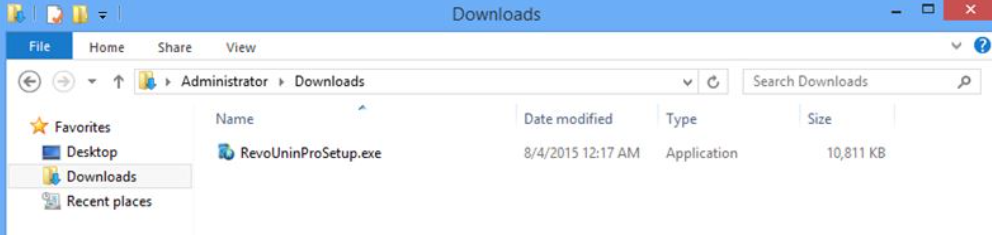
2. Install the software.
3. Once installation is completed run this software.
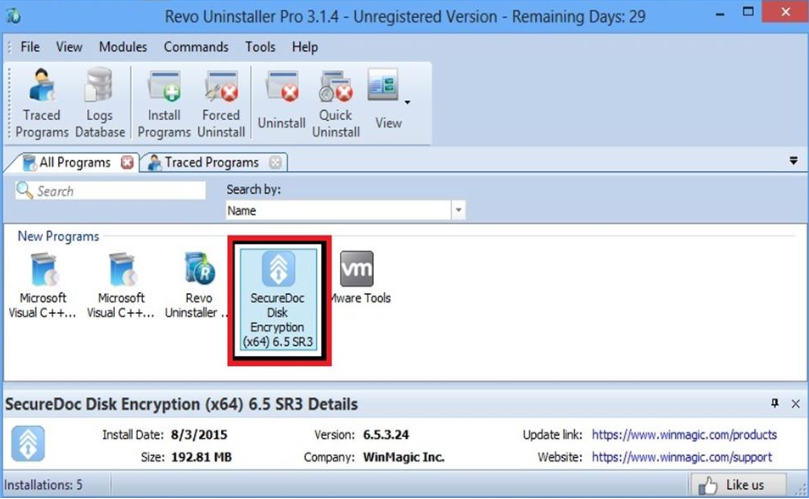
4. Now select the SecureDoc from the list it is going to display, right click on the SecureDoc and press Uninstall.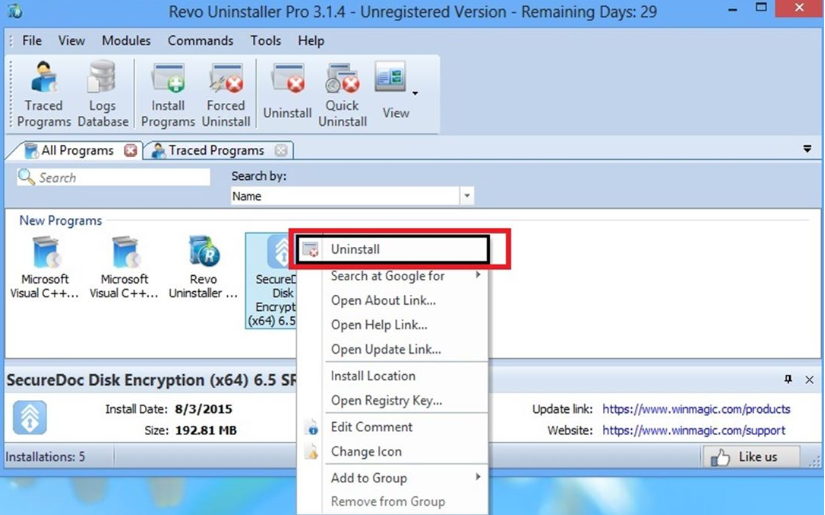
5. It will display following options, carry on with step a, b, c.
But if pops up message saying location is not found, Move directly to step c.
a. If it pops up the following message, press yes to uninstall.
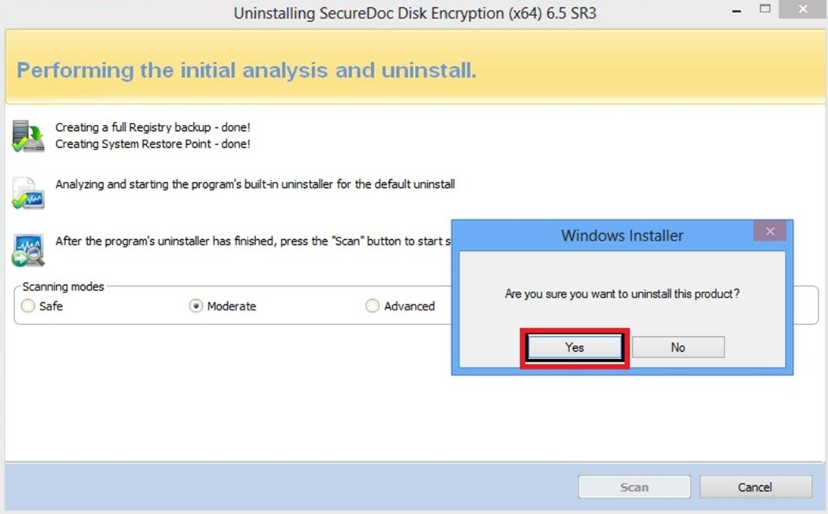
b. It will pop up another message to reboot, click Cancel after uninstalling move to step c.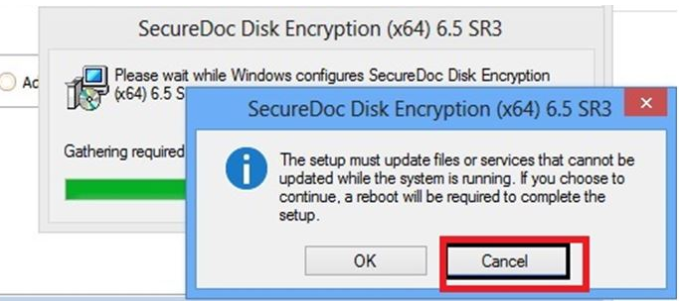
c. Advance Software Removal. Select Advance Radio button as mentioned below and click Scan.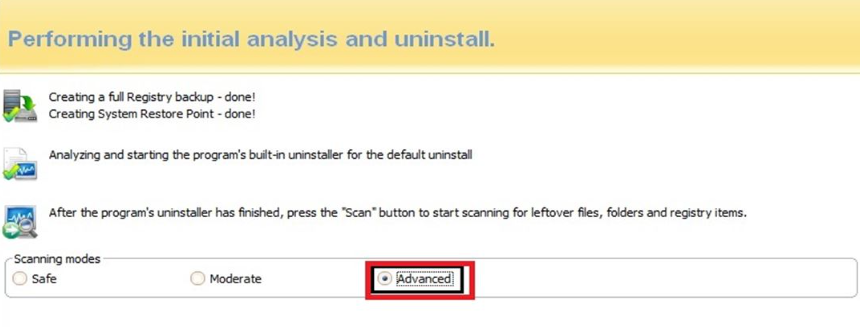
d. Click Select all, then Click delete in a popup windows press Yes and then press next to continue.
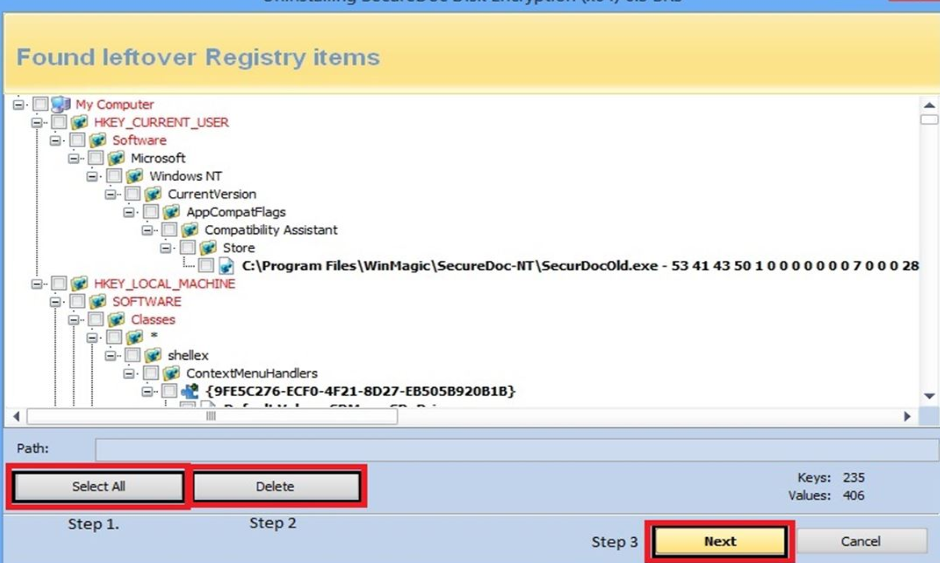
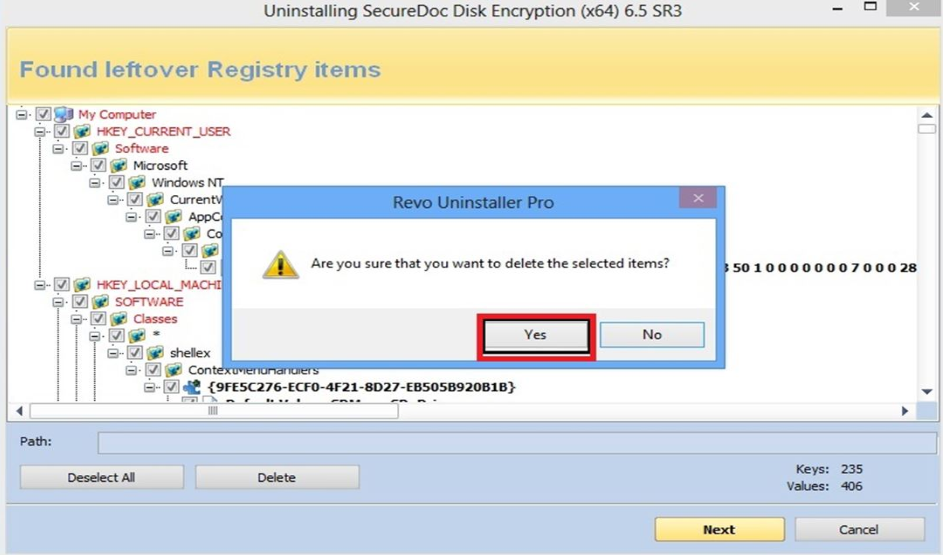
e. Click Select all, then Click delete in a popup windows press Yes and then press next to continue.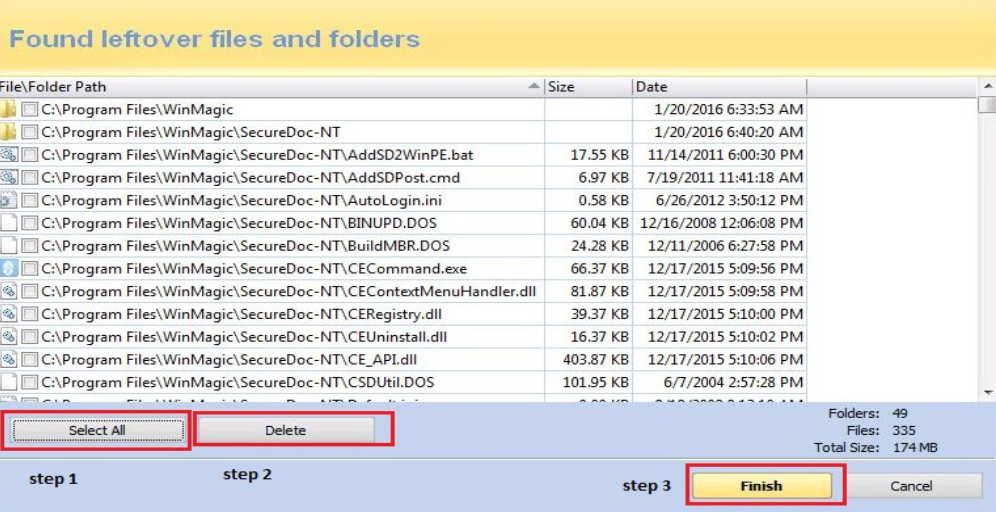
6. Please reboot the machine.
7. Once machine is restarted open the registry to clean if any entries are left. Mostly you can see some entries will remain. Please delete them manually. Those are as below
• HKEY_LOCAL_MACHINE\SOFTWARE\WinMagic
• HKEY_LOCAL_MACHINE\System \CurrentControlSet\Services\WinMagic* delete all the Winmagic key found.