Issue:
Client may setup a restricted SESWeb admin account with limited access to one or more specific folders/OUs but subsequently able to access newly created folders/OUs also.
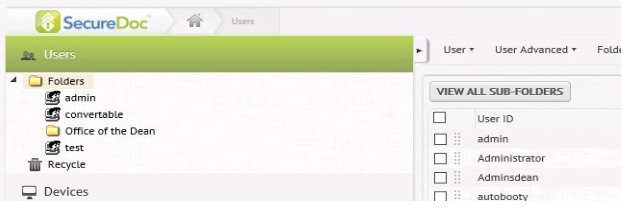
For example, the 'Adminsdean' account is set to only see the 'Office of the Dean' OU folder then they should not be able to see any new OU's i.e. 'Biology Department' that are added.
Before: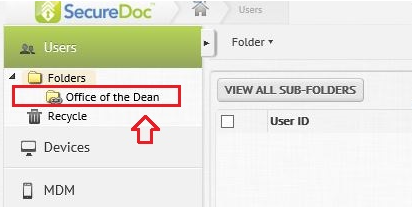
After: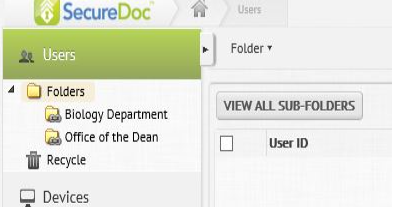
Product version affected:
SES version 6.2 and up
Environment (OS/hardware/software):
Please refer to the latest system requirements for SecureDfoc Enterprise Server
http://www.winmagic.com/support/technical-specifications
Steps to Reproduce in SESWeb:
1) Create an admin group with limited folder access (for example 'Office of the Dean')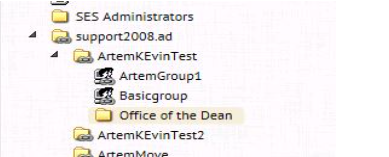
2) Add user i.e. 'Adminsdean' to this admin group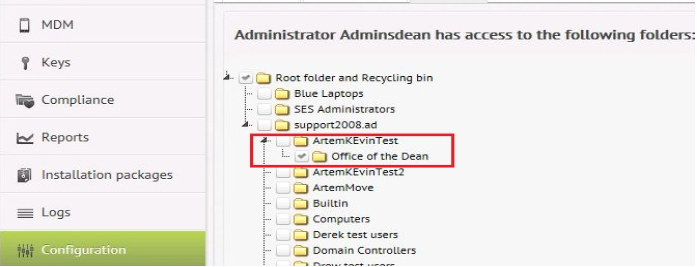
3) Verify that this admin user can only see this one folder - Have the user log into the SESWeb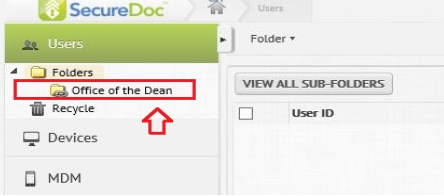 4) Create a new folder or OU i.e 'Biology Department']
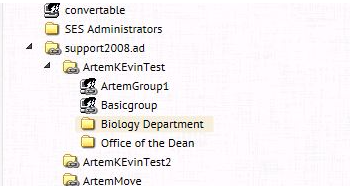 5) Problem: This user account 'AdminsDean' which was only granted access to the one folder 'Office of the Dean' can see the new folder 'Biology Department'.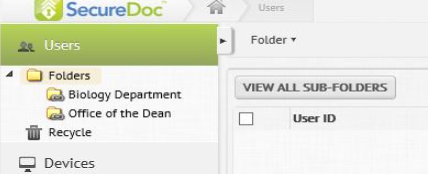
Workaround Steps:
Note: The workaround steps must be done in the following order when adding a new admin account to restrict access to the appropriate folder.
1. Log into the SESWeb, with a master root account
Under Configuration > Administrative Management > 'Add New Administrator' > select the account, i.e. brbtgt > Click "ADD"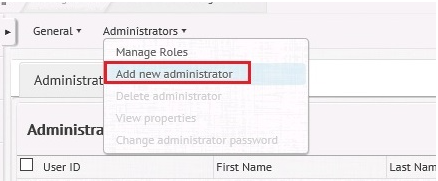 2. Check-marked account 'krbtgt' > Click on the Administrators drop-down arrow > select 'View Properties' > Click on the 'Permissions' Tab
Click on the Administrators drop-down arrow > select 'Assign Roles to Admin' > select 'Administrator' > Click OK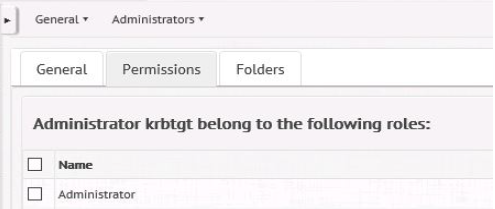 3. Log into the SES main console with the primary root admin account.
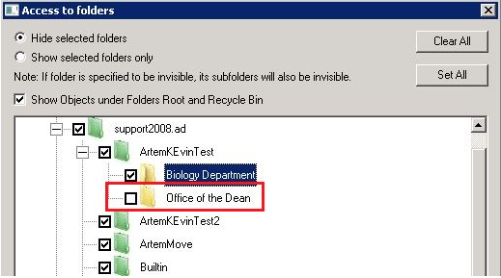
From Database > Access Rights > highlight 'krbtgt' account > click Edit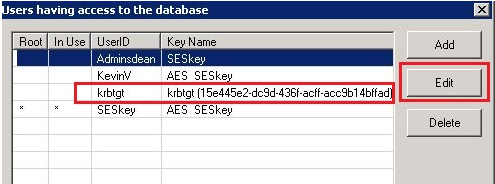 4. De-select the folder "Office of the Dean" > Click OK
 5. Log into the SESWeb as krbtgt
The account should only see the folder called "Office of the Dean"