Topic:
This How-To article provides manual instructions for setting up auto-boot on an encrypted device.
Product Version Affected:
All SD versions
Environment:
All Windows OS and devices
Steps to Follow Pre Version 8.3 SR1:
The SDBat.exe utility is located in C:\Program Files\WinMagic\SecureDoc-NT folder.
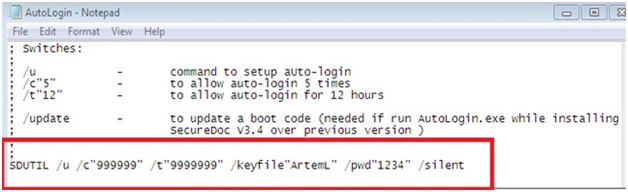
Edit the file AutoLogin.ini from C:\Program Files\WinMagic\SecureDoc-NT folder with the following command:
SDUTIL /u /c”999999” /t”9999999” /keyfile”ArtemL” /pwd”1234” /silent
Note:
c represents the number of times the device will automatically log into pre-boot authentication screen during X number of hours. Whichever occurs first.
t represents the number of hours the device will be allow to log into pre-boot authentication
The manual script can incorporate these switches (/silent / permanent) as needed.
Save the file as type: “all files”
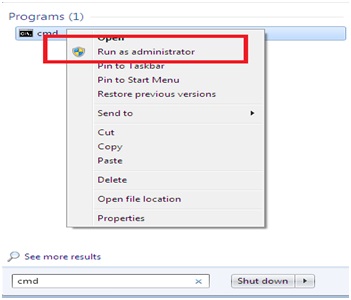
Endoding: Unicode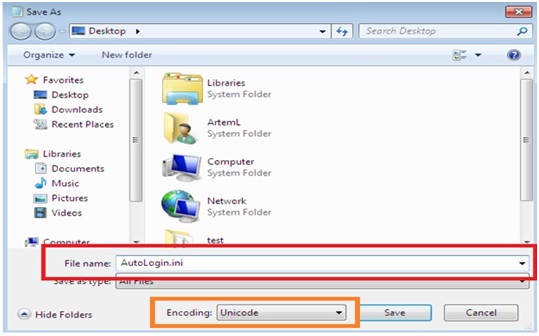 Click start —> run —> type “cmd” and right click to “run as administrator” and browse to a path where the file is located.
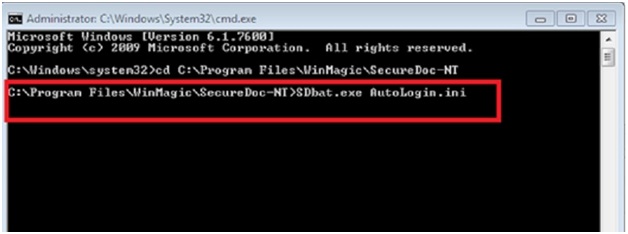
 Type at the command line: sdbat.exe autologin.ini > press Enter.
 A script will pop up > click OK
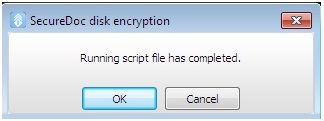 After the reboot, the auto-boot will be activated.
Steps to Follow Version 8.3 SR1 and up :
WinMagic has extended SDUTIL to permit scripted generation of a temporary set of Auto-Boot credentials. These credentials will self-destruct after the Auto-Boot term (countdown or number of reboots) has been reached.
The combination of flags/settings required to enable this are:
-C (the maximum number of device reboots)
-T (the Countdown time value, in hours)
/SILENT
/FORCE
Using the above flags/settings, SDUTIL will generate a short-term self-destructing set of Auto-Boot credentials.
The SDBat.exe utility is located in C:\Program Files\WinMagic\SecureDoc-NT folder.
Edit the file AutoLogin.ini from C:\Program Files\WinMagic\SecureDoc-NT folder with the following command:
SDUTIL /u /c"3" /t"1" /silent /force
In the example above it will autoboot 3 times in 1 hour, whichever comes first.
The rest of the steps remain the same.
Reference Material Pre 8.3 SR1
CRM KB 296
ref: SD-3024
Reference Material Post 8.3 SR1
SD-29328
Searchwords: script scripting autoboot auto-boot utility utilities SDBAT SDBAT.exe SDUTIL SDUTIL.exe