Manual Upgrade Instructions to SecureDoc 6.2:
When upgrading to SES Server 6.2 on Windows 2003 Server, the following prompt appears:
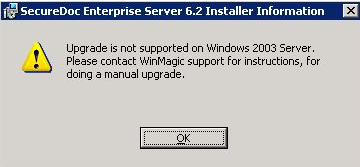
The following steps will be a guide on how to complete a manual upgrade:
- Make a note of all the settings in SDConnex and ADSync
- Go into Add/Remove programs and uninstall SecureDoc Enterprise Server
- Install SES 6.2]
- Open SES Console and connect to the SES database
- Upgrade the database
- Register SDConnex and ADSync
- Configure SDConnex and ADSync
- Start services.
Custom Fields
- Operating System: Windows Server
- Version: Affects all versions of SD