Please follow the following instructions to enable the SQL trace:
- Open SQL Profiler and connect to the SQL server where the SES database is located.
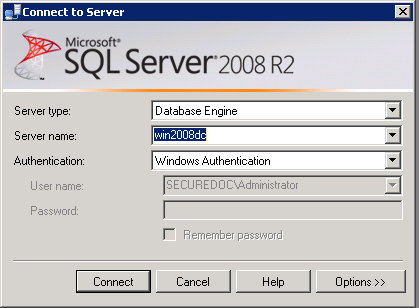
- Select new Trace.
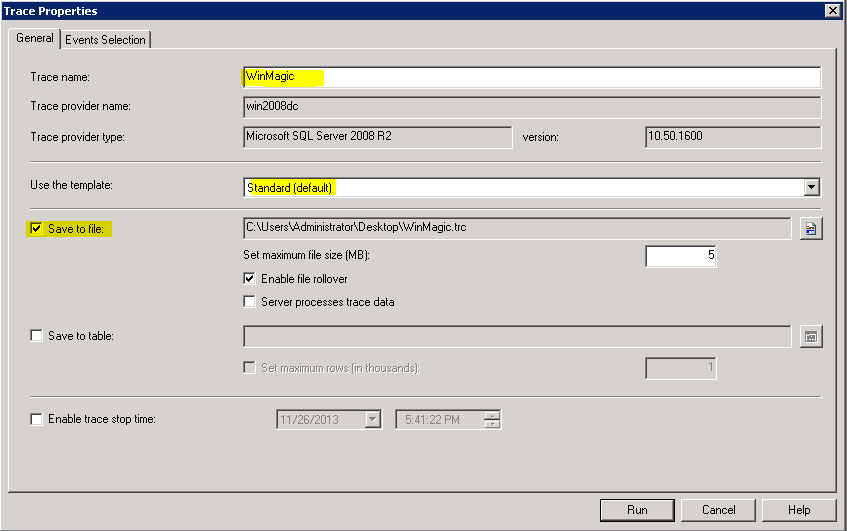
- Please enter in the Trace name, eg WinMagic
- Use the Standard template
- Click on "Save to file”
- Select the location to save the file to.
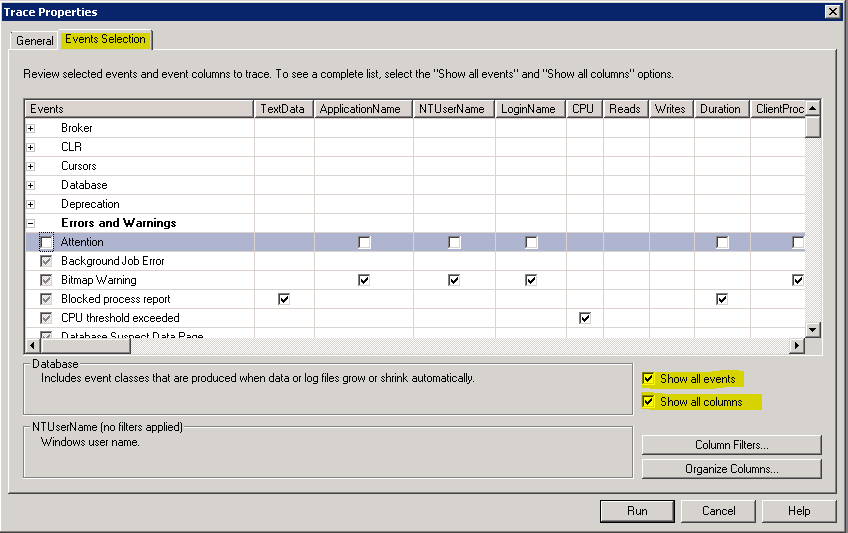
- Click on the Events Selection Tab
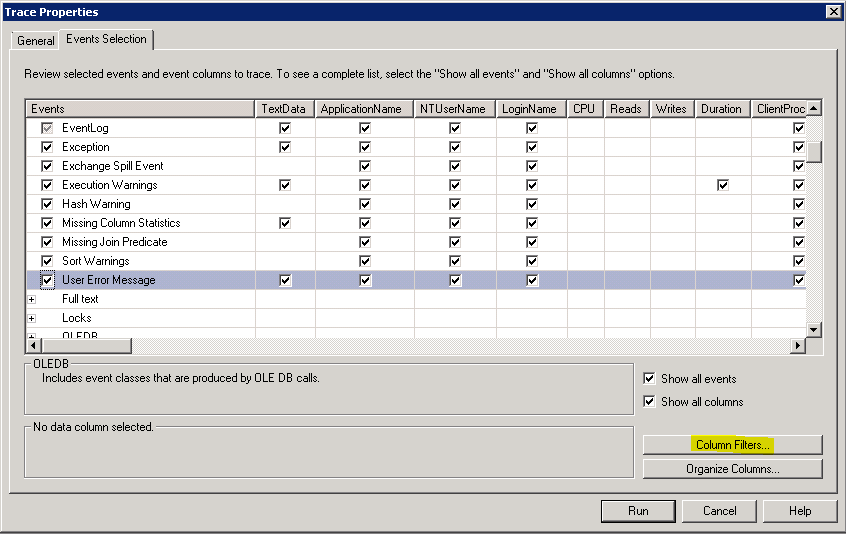
- Check "Show all events”
- Check "Show all columns”
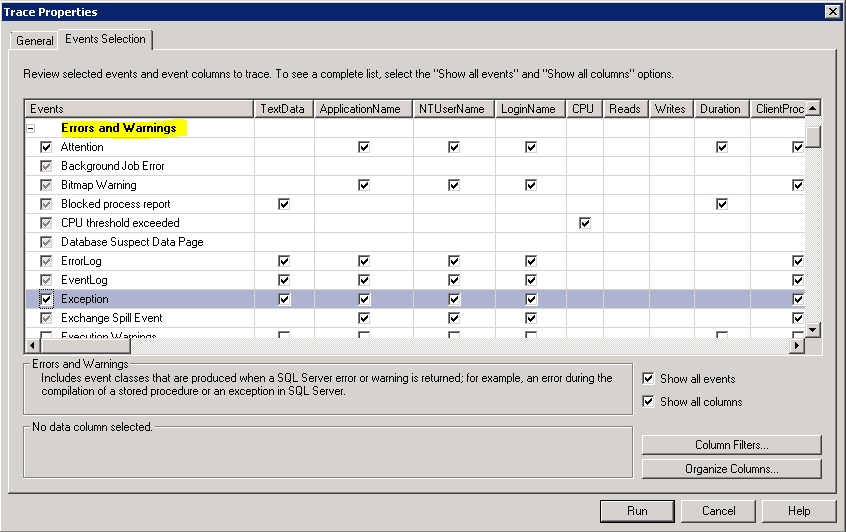
- Under events, please select all the rows under "Errors and Warnings”
- Please click on "Column Filters”
- The "Edit Filter” window will come up.
- Click on Like
- Enter in the SES Database Name, eg winmagic52
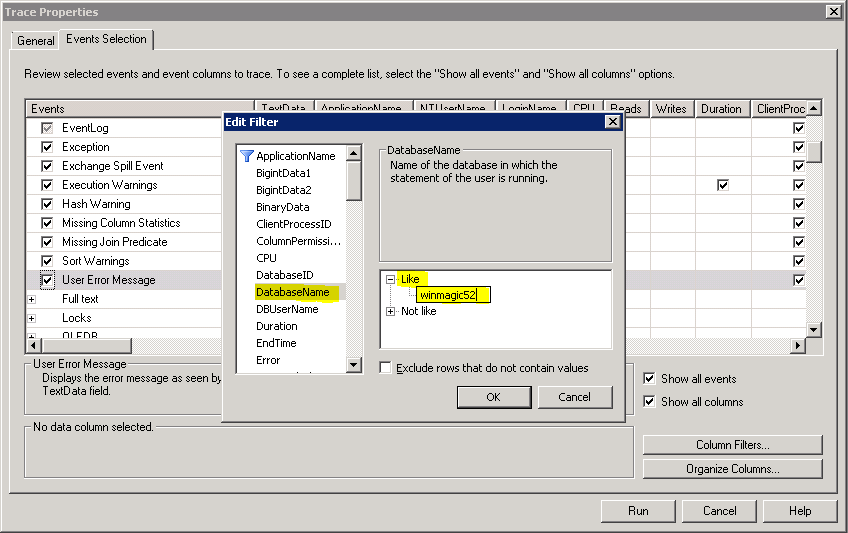
- Click on OK.
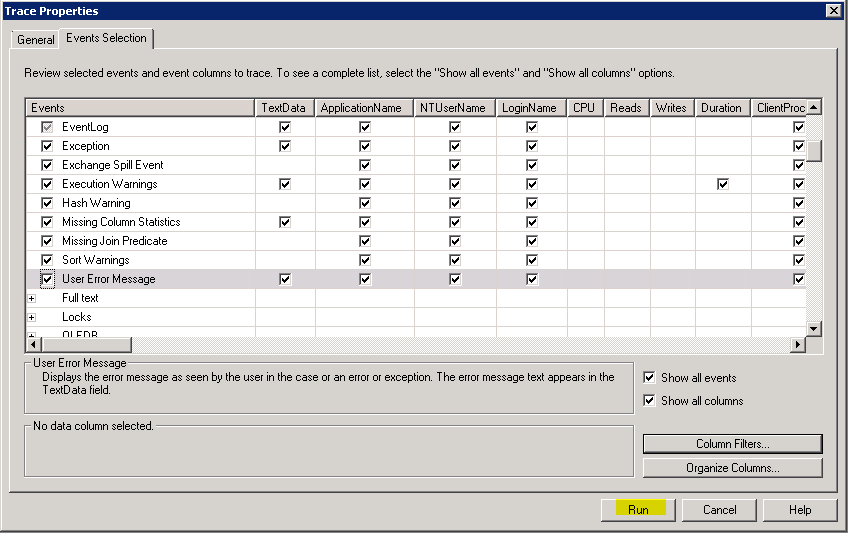
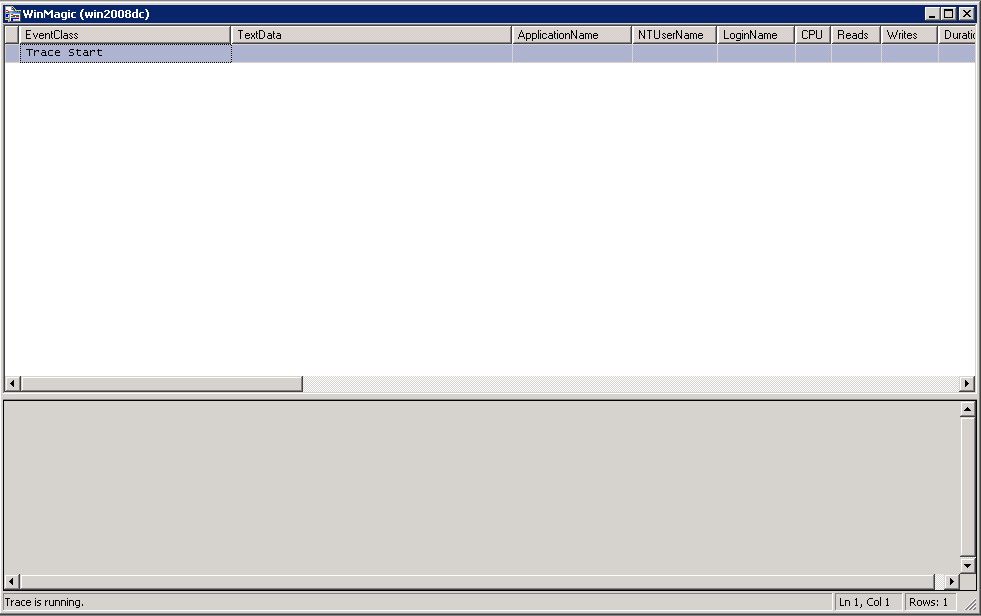
- Click on Run.
|
Custom Fields - Operating System: All
- Version: Affects all versions of SD
|