What is Fast Startup, and why it is important
Fast Startup (Hybrid boot, or hybrid Shutdown) is a new feature introduced in Windows 8 that enables PCs to have a faster startup after it has been shut down. This feature can cause issues with SecureDoc such as automatically booting the device after it is shut down and users cannot log into the SecureDoc Control after completing a Challenge Response and rebooting the device. Therefore, we recommended disabling Fast Startup on Windows devices, even though it might not affect every model.
To disable the "Fast Startup" setting, follow the steps below:
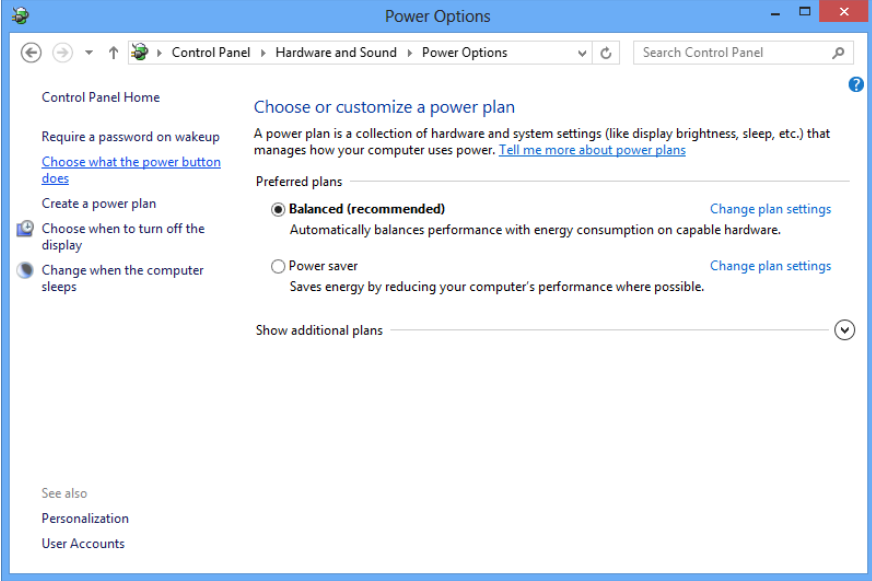
- Open the Control Panel (Icons view), and click "Power Options".
- Click the "Choose what the power buttons do" link on the left.
3. Click/tap on the "Change settings that are currently unavailable link at the top.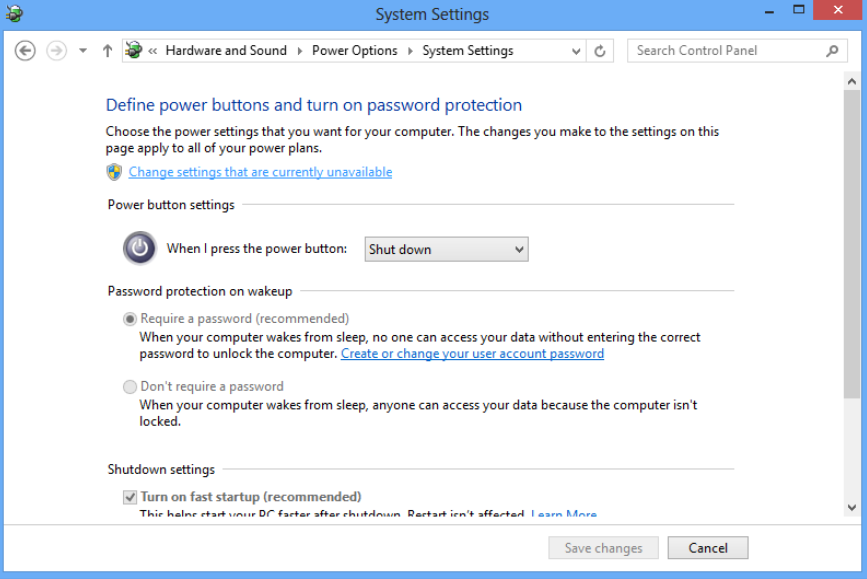 4. If prompted by User Account Control (UAC) click/tap "Yes".
5. Under Shutdown settings uncheck "Turn on fast startup (recommended)" and click on Save changes.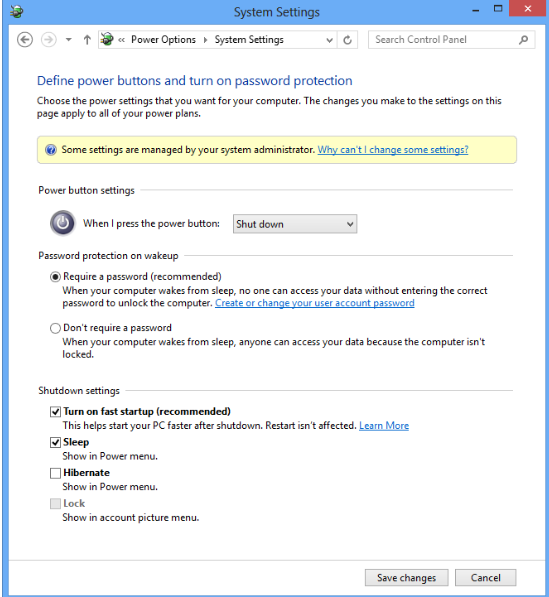
|
Article Document |
Title | What is Fast Startup, and why it is important |
URL Name | What-is-Fast-Startup-and-why-it-is-important |