How to extract a dbk file from SDSPace1.dat using Winhex?
This article describes how to use Winhex to extract a keyfile from the SDSpace1.dat file.
You may need to do this if the customer has lost the backup of their keyfile.
- Download and install Winhex.
- Find SDSpace1.dat in the emergency disk and open it in Winhex.
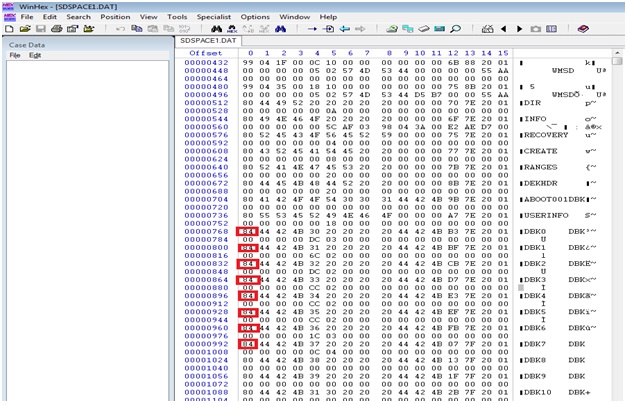
Look for 84. This example shows that there are 8 dbk files.
- Go through and look for a big block of data.
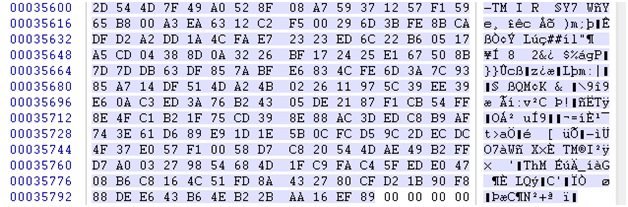
- Highlight the block all the way up to the 89 (but without the zeros at the end).
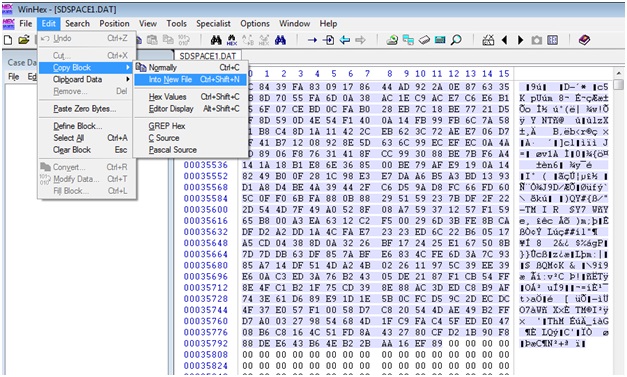
- Click on Edit -> Copy Block -> Into New File.
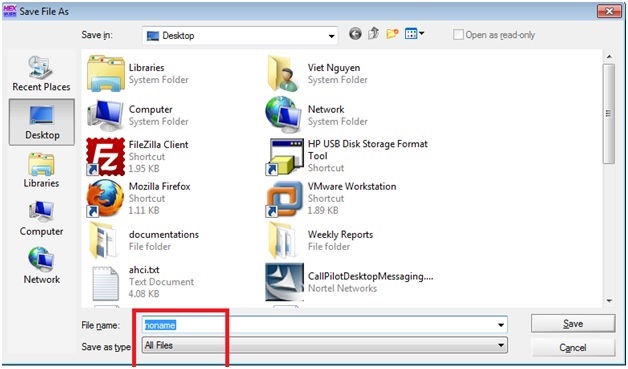
- Name it as XXX.dbk. Save as type "All Files".
Custom Fields
Article ID: TS0250
Operating System: Windows
Version: Affects all Versions