Top of Form
Issue: : MagicEndPoint - IIS server fails to launch IdP page 'HTTP Error 500.30 - http://ASP.NET Core app failed to start'
Symptoms:
- IdP server is working fine.
- Update Windows on the server - including any KB updates for the .NET Framework.
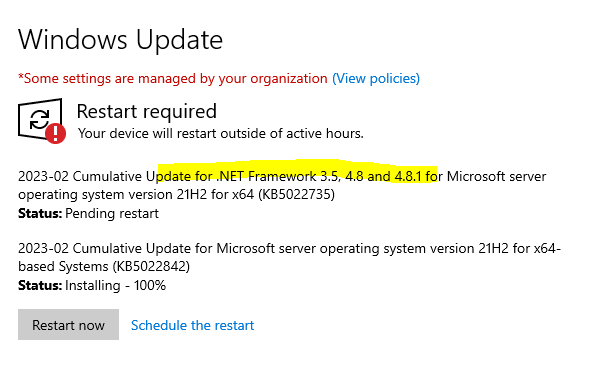
3. Reboot the server
4. Launch the IdP web page
Expected result: The launch of the IdP page should be successful.
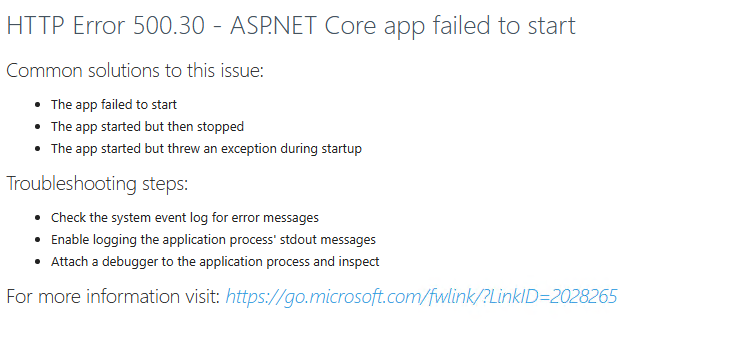
Actual result: Instead, the IdP page failed to launch with 'HTTP Error 500.30 - ASP.NET | Open-source web framework for .NET Core app failed to start'
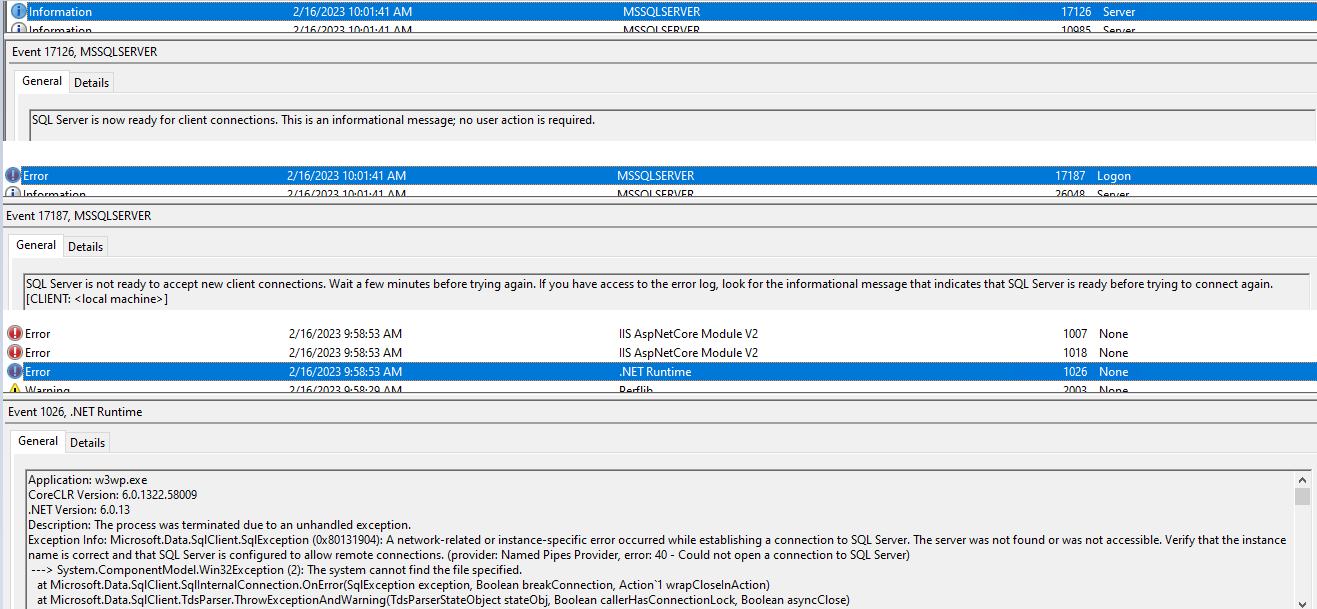
By reviewing the Event Log we can see that SQL starts after IIS:
Work-around:
5. Change the IIS service to 'Automatic (Delayed Start)
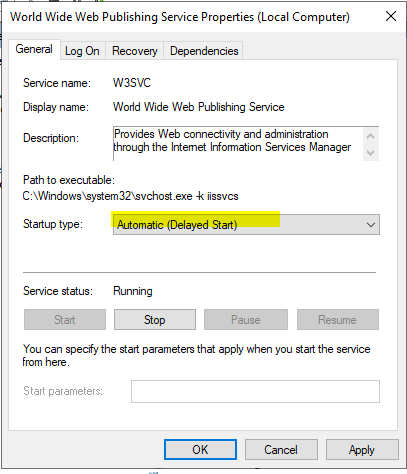
6. Reboot the server that is hosting IIS
>> At this point the IdP Page will be launched and displayed successfully.
Bottom of Form