How to configure and Deploy SecureDoc for Microsoft Surface Pro 7
SecureDoc Version:
8.5SR2 and 8.6
Environment:
Microsoft Surface Pro 7
Windows 10
Configure the following:
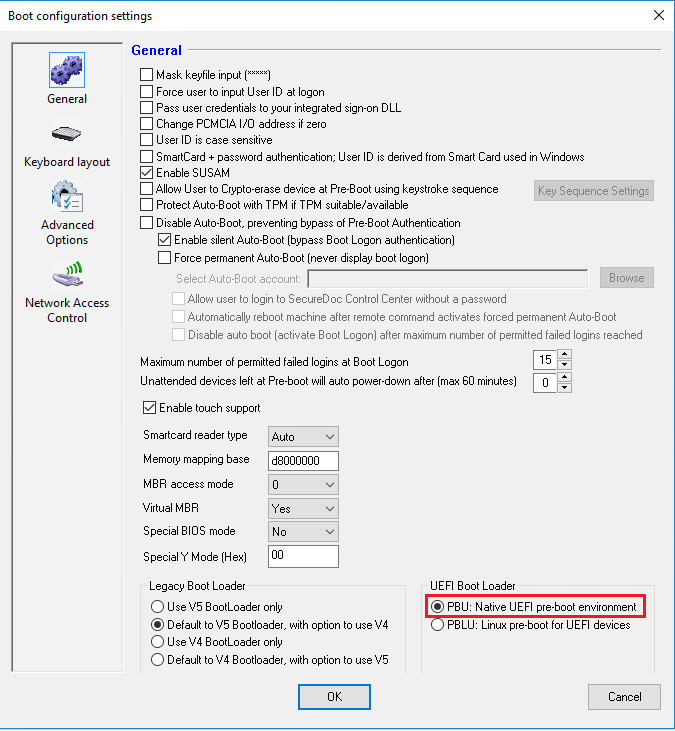
Profile > Boot Configuration > General > UEFI Boot Loader = PBU: Native UEFI pre-boot environment
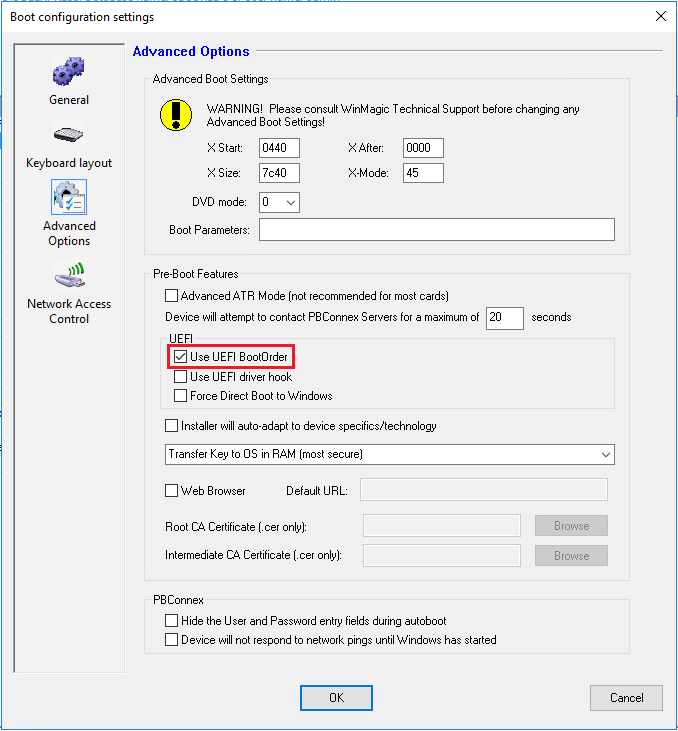
Profile > Boot Configuration > Advanced Options > UEFI = Enable “Use UEFI BootOrder”
Installation Package:
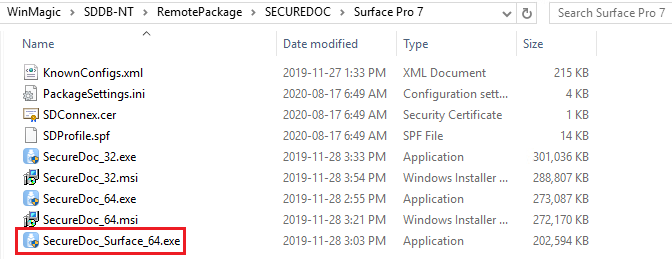
For installation, you will be required to use the Surface Installer executable.
Right-click SecureDoc_Surface_64.exe and run as administrator on the device to install SecureDoc.