Topic:
This How-To articles provides the procedures on how to add User(s) to an installation package, to be added automatically to a device during installation.
Purpose:
The purpose of this is to allow the administrator to add predefined users to a device during installation.
Requirements:
- A user or admin user.
- User must have a password that meets the SES Password Requirements.
Product version affected:
- All SES versions
Environment:
- All Windows OS and devices
Steps to follow:
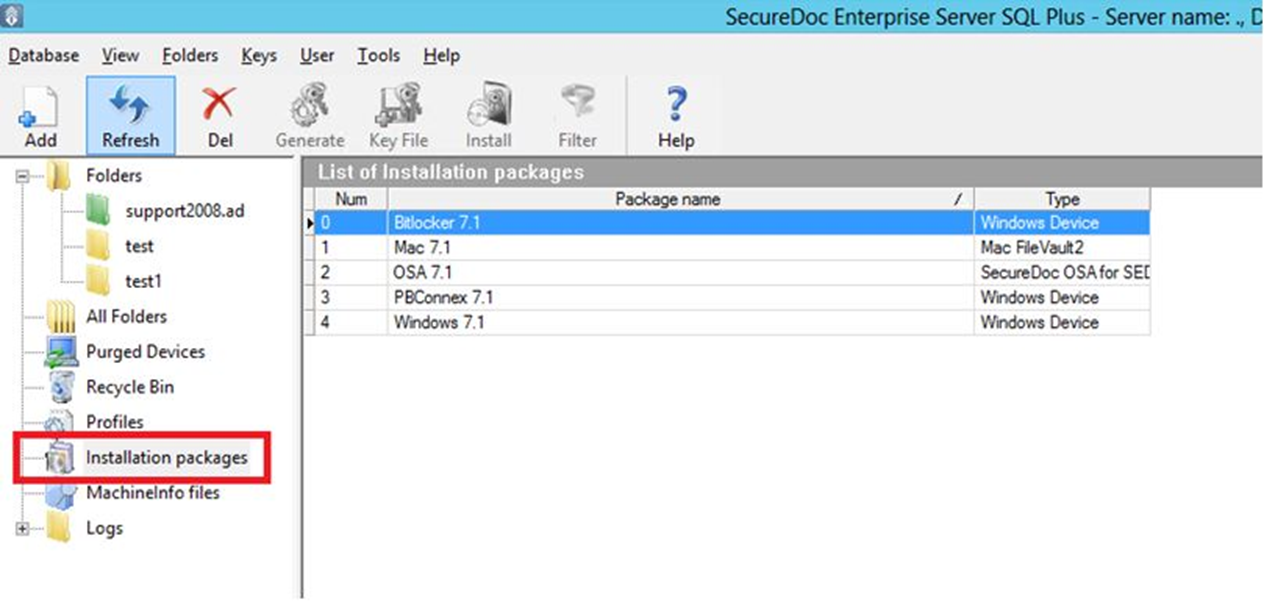
- Go to Installation Packages in the SES.
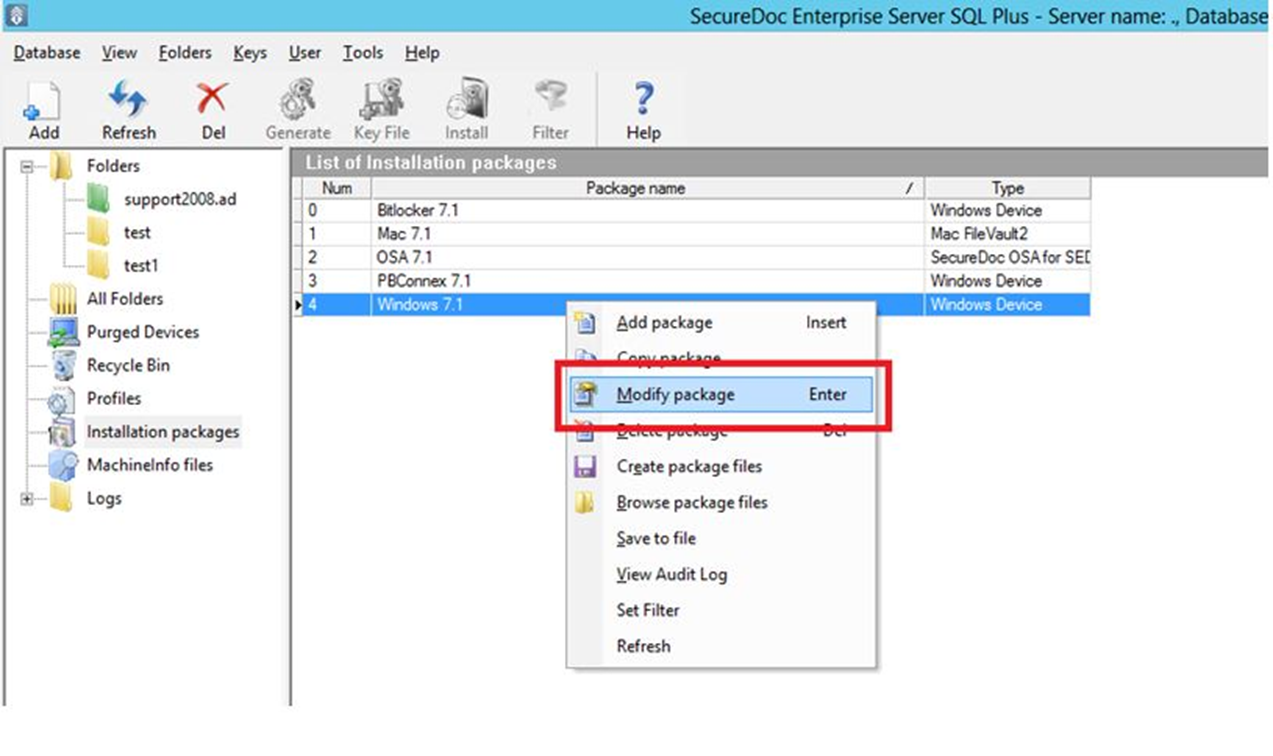
- Either create a new package or right click on an existing package > select Modify Package.
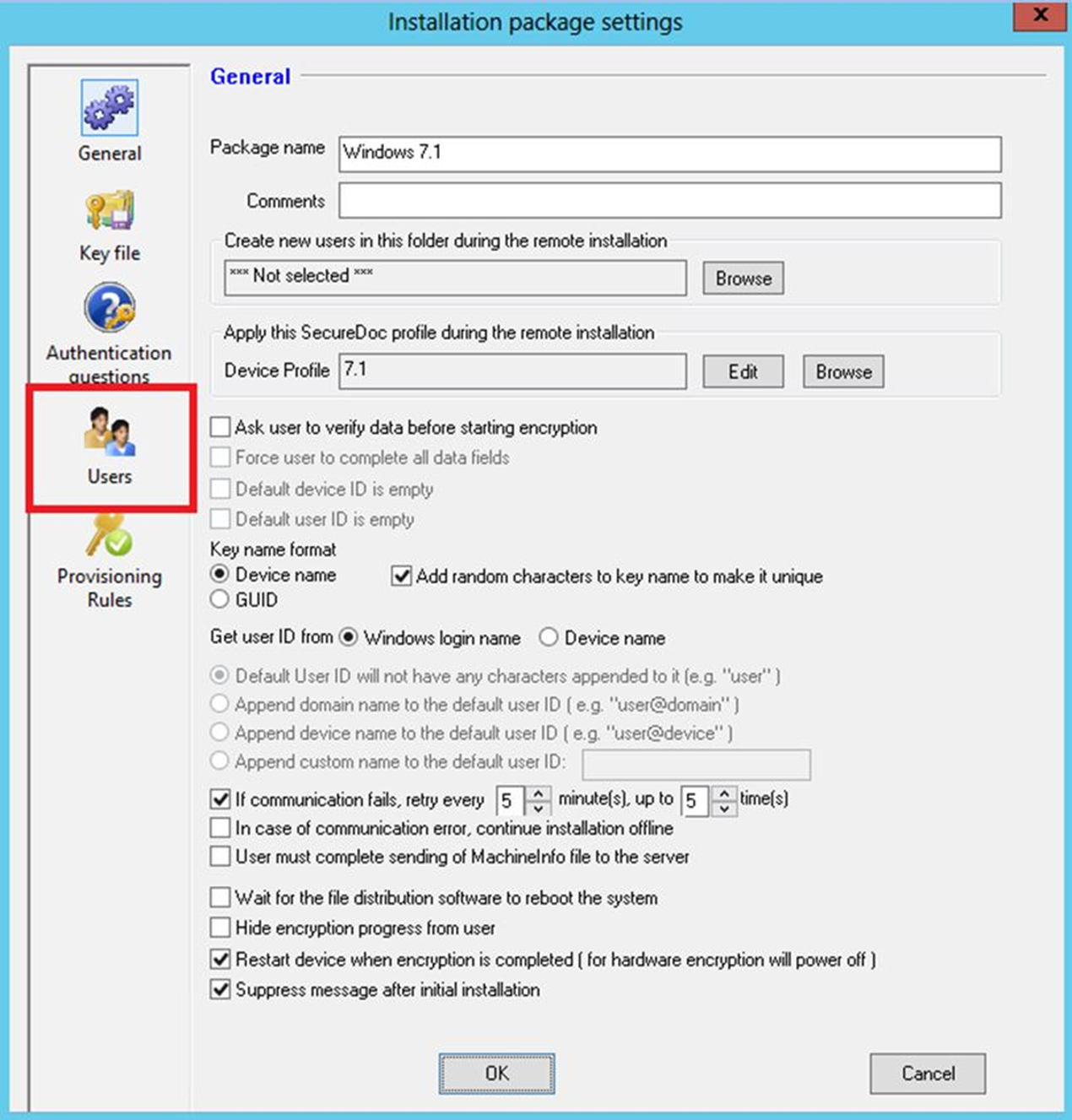
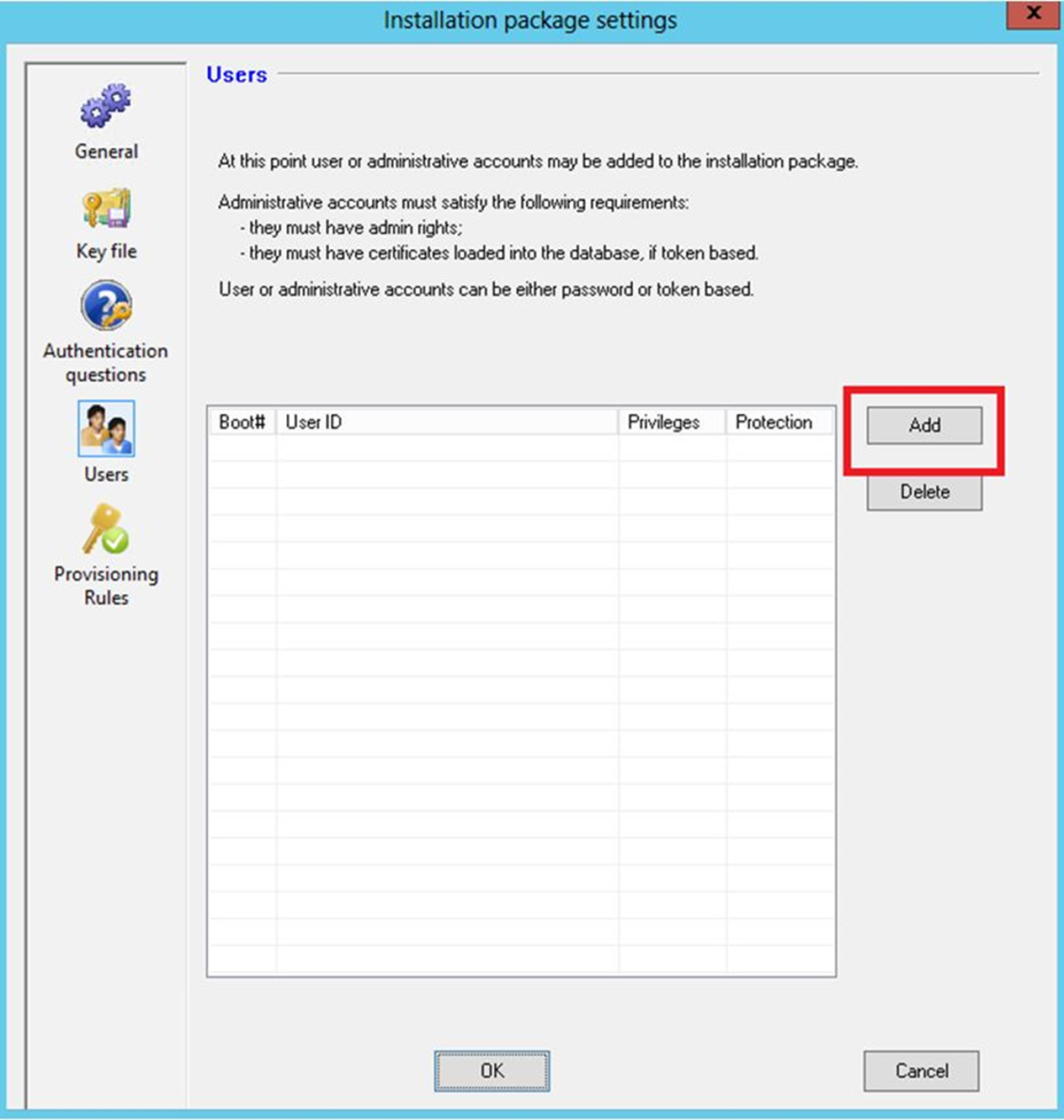
- Select Users in the Bottom left.
- Click Add in the top right.
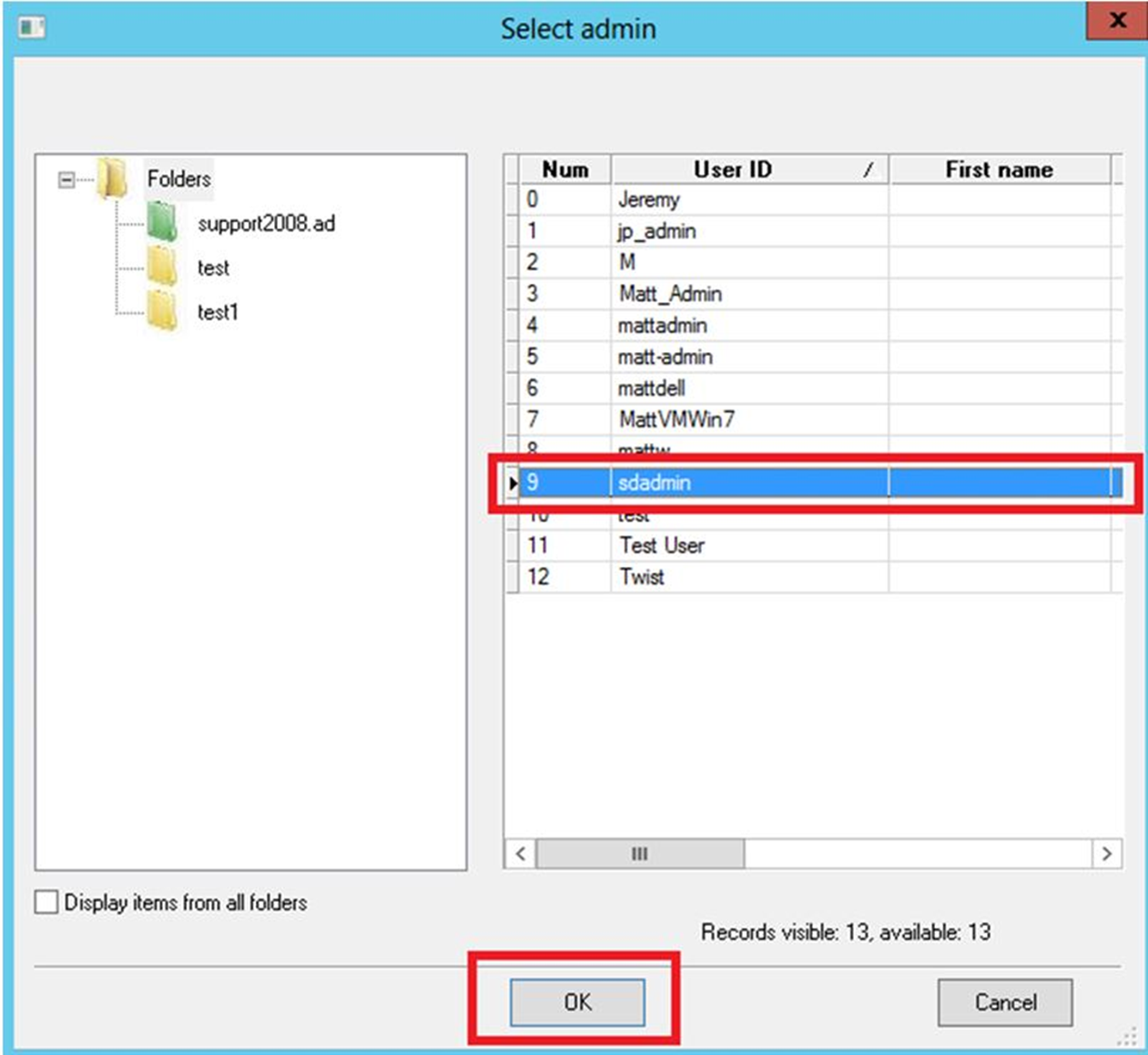
- Locate and select the user be added to the package > Click OK
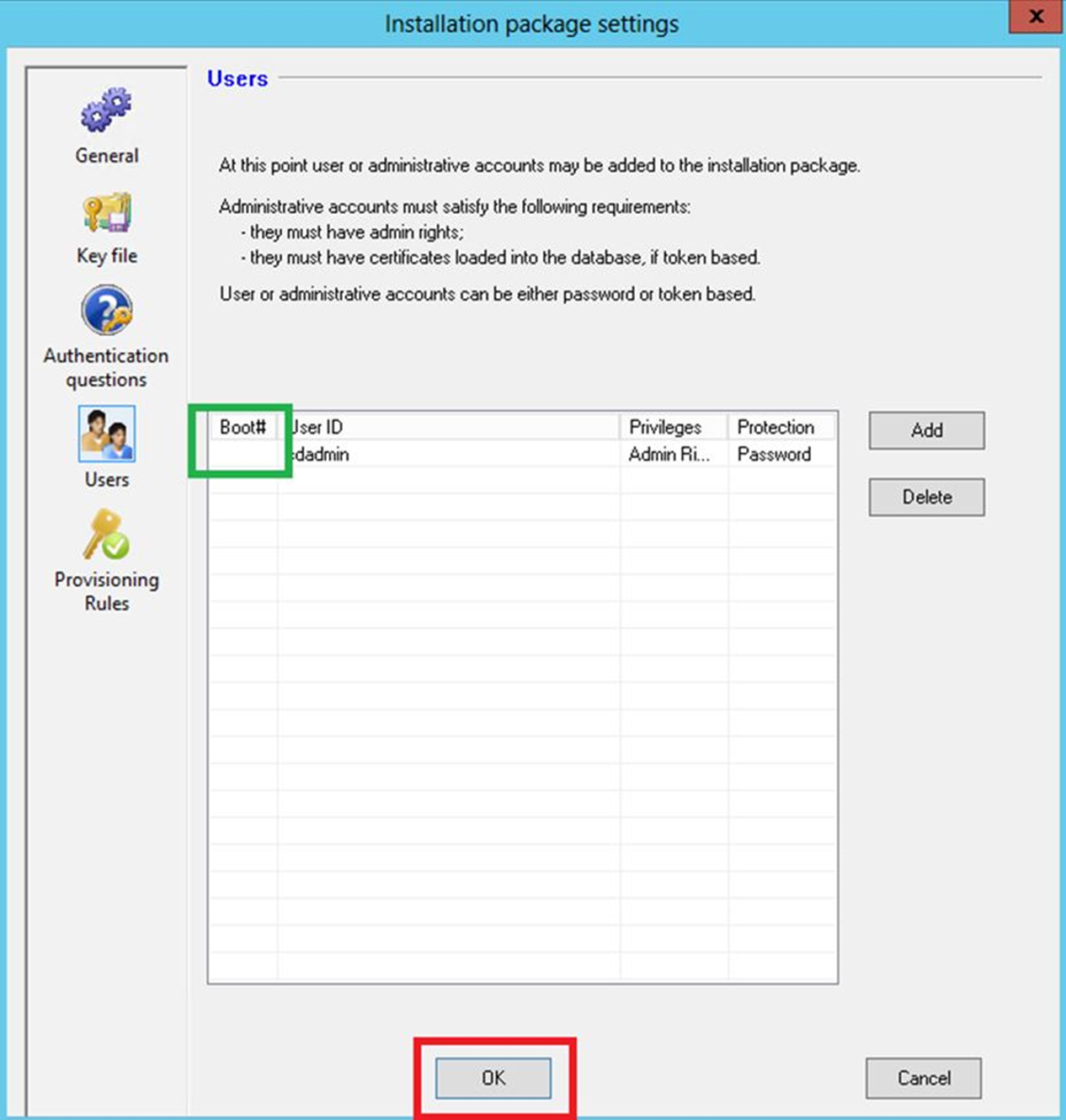
- The User should now be in the list > click OK to finish the process.
- Optional: Under the Boot# Column, the user can be assigned to a specific boot slot