Currently, when a user goes to a SP authenticating using MagicEndPoint, the ME client logs in the user logged into the device. However, a user may have different accounts on the SP with different privileges for different roles.
One workaround would be to either use a second device or an unmanaged device to login, but it would be ideal to have a way to switch the user that is used to login to the SP for this use case so that only one device is needed.
Allow the ME login to be interrupted to change the user logging into the SP
Precondition:
- Users may have different accounts on the SP with different privileges for different roles.
- E.g: On SP (e.g okta|Salerforce|SES.WEB v.v) client has 2 emails able to access to SP with different role
- Email1: [email protected] has the Admin role
- Email2: [email protected] has the User role
Steps:
- On SES console, create an SD package with MEE enable
- On client , Login to windows by user : then deploy that package to client successfully
- Client is deployed and achieved SM success
- Install ME on client success
- ME installed and linked with FDE key success , the ME status : online -user registered
- On SES.WEB create 2 users and add 2 emails in precondition to that users( e.g: user 1 | email: [email protected] . User k2| email: [email protected] )
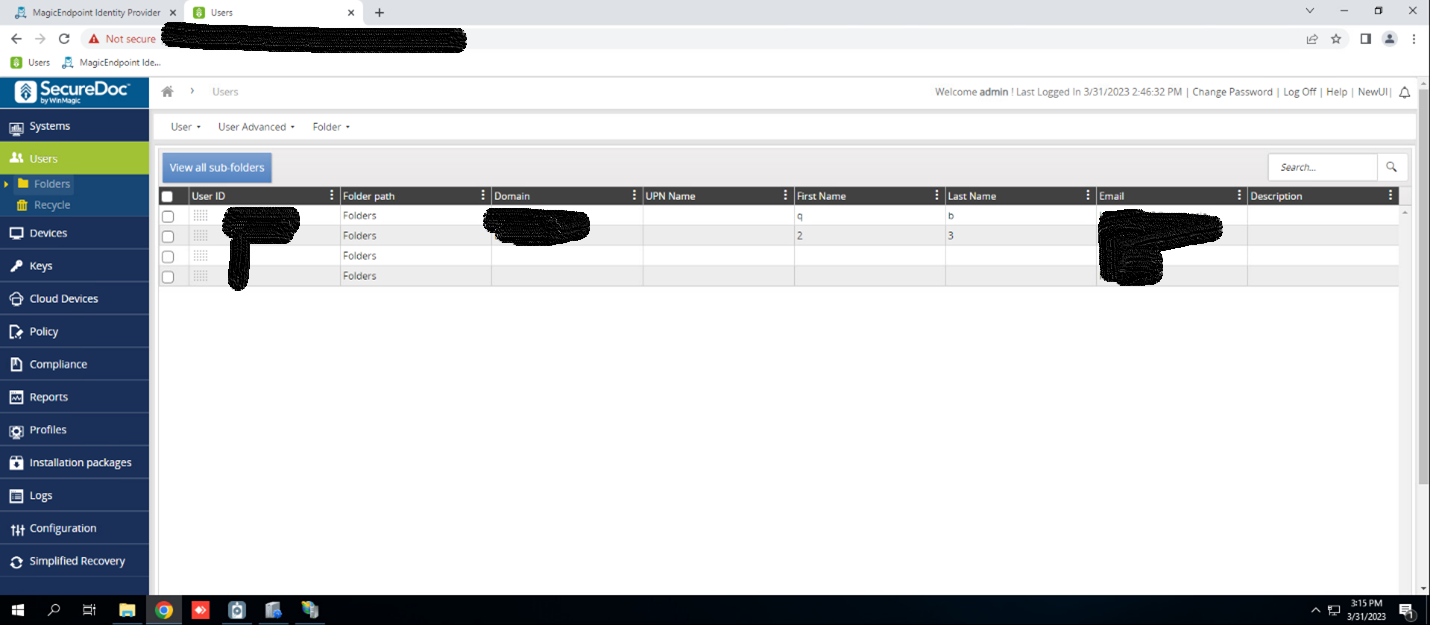
- On SES.WEB go to Users page, select user and go to the user properties
- User properties page is displayed
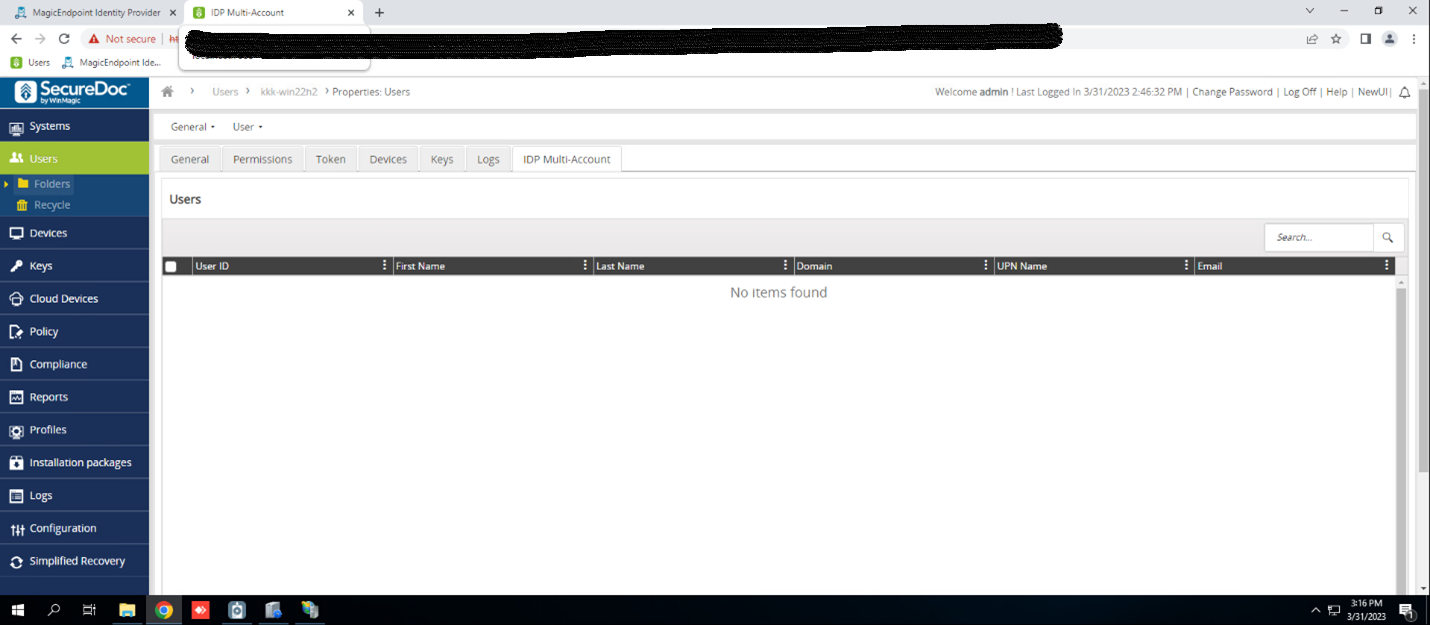
- Click on the ‘IDP Multi-Account’
- The IDP Multi-Account page is displayed
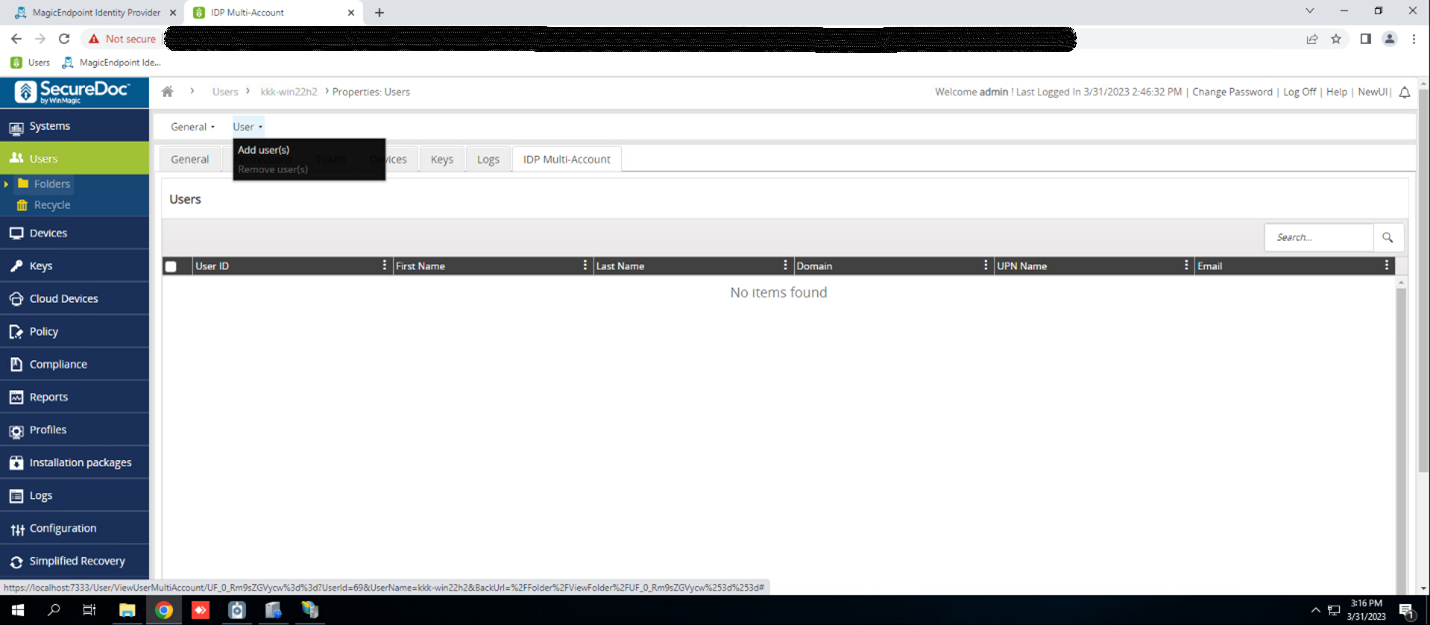
- Hover to the User menu and click on Add user option
8. Select user adminacct and user useracct the ‘Add user ‘ page and click on save button
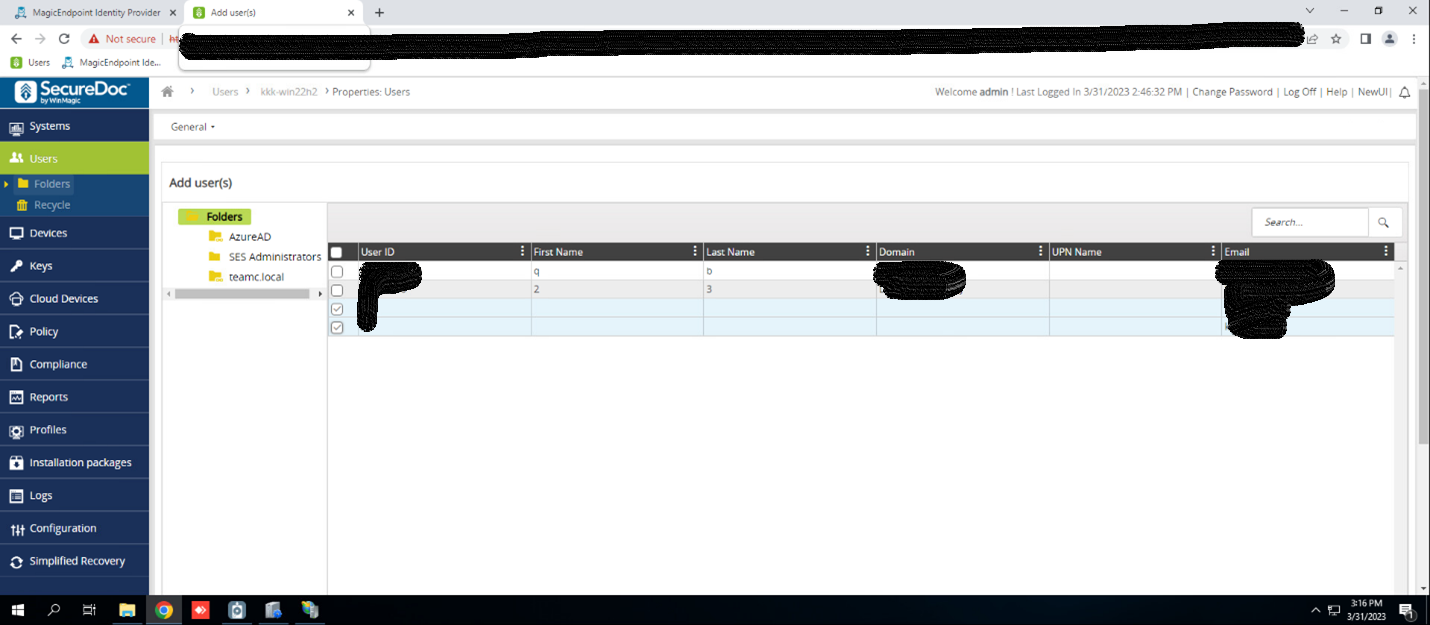
- The user 1 and 2 are added to ‘IDP Multi-Account’ page success
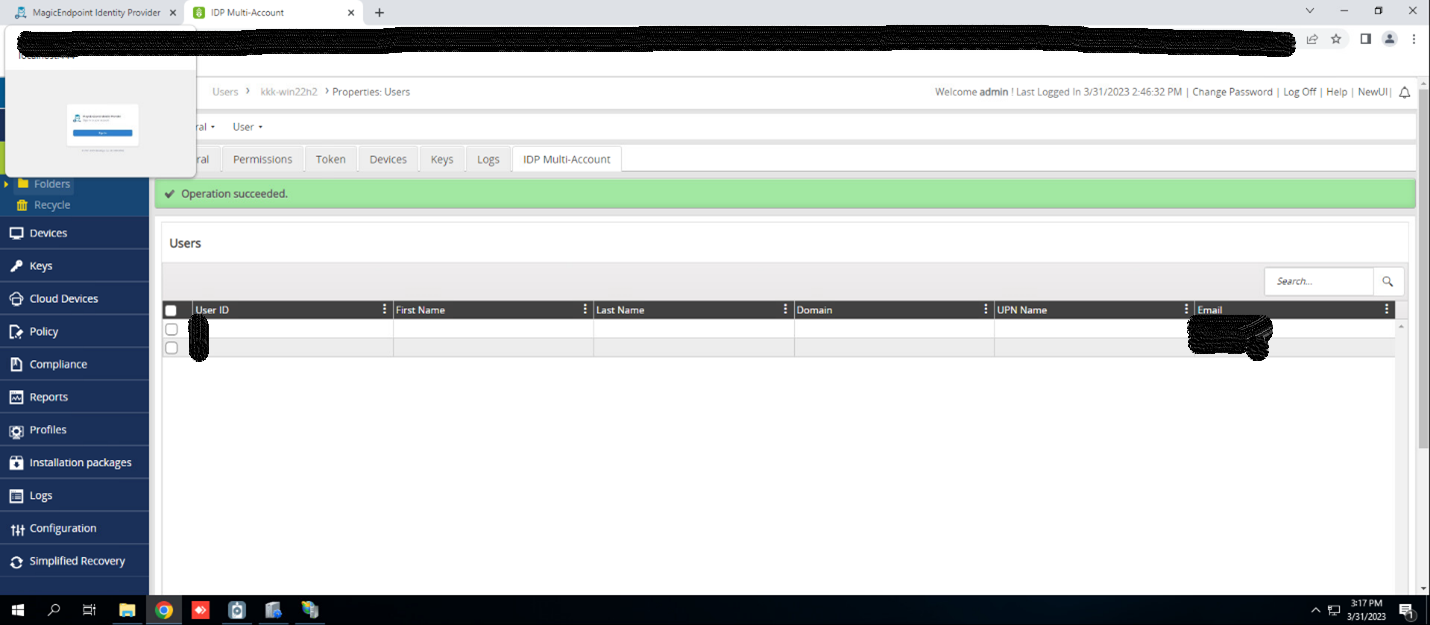
- Add user to the SP group successfully
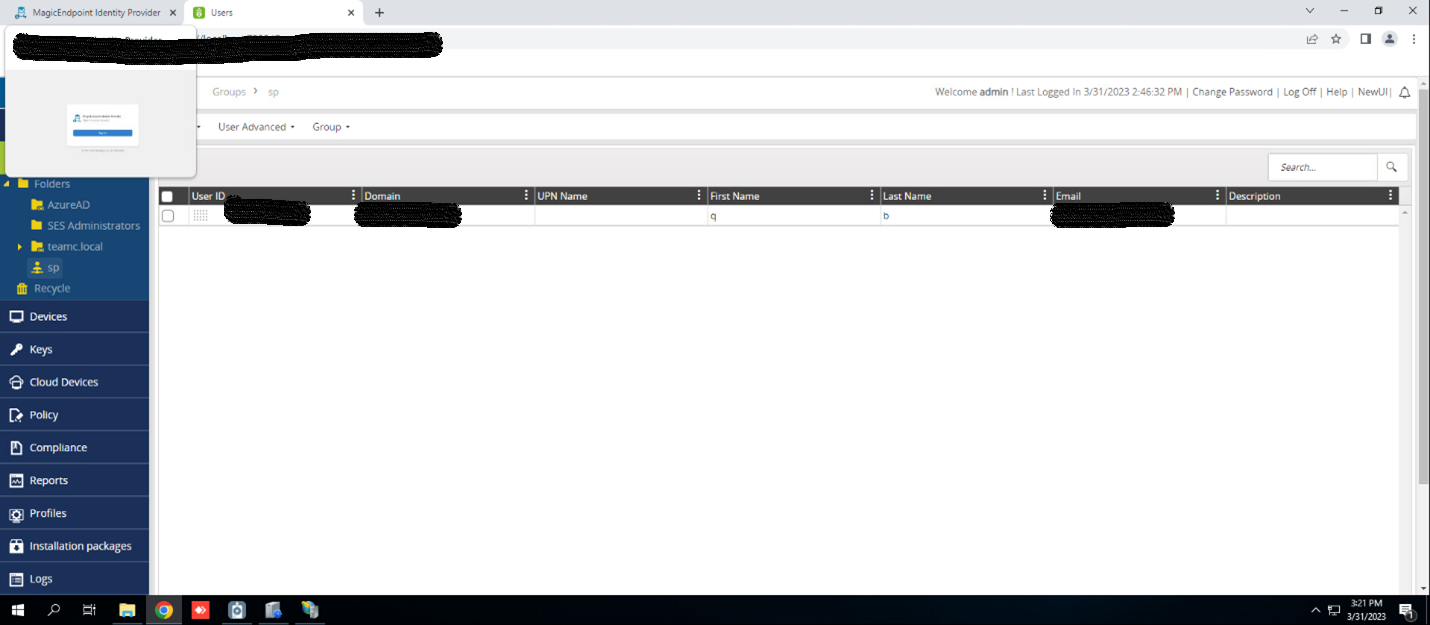
- On client, open the browser and go to the SP
- Login to SP thought IDP.WEB
- The Select user account is displayed
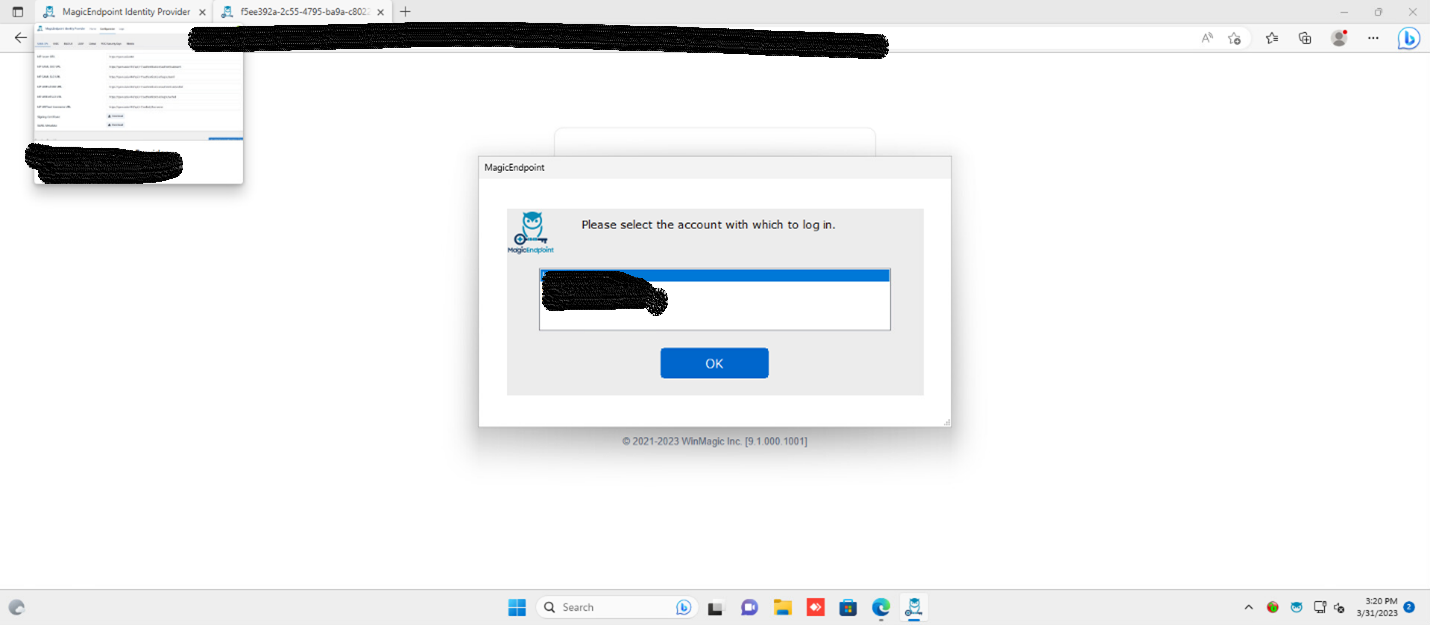
- Select user need login to SP and click on OK button
- Login to SP by that user email success