The SDConnex’s service has an alert system that can be configured to send informative email to a designated individual whenever certain conditions occur. In this article, we go through the steps to configure this system
Step1: Navigate to the Global Options > Other in the SES, and configure warning and alert values for non-communicating devices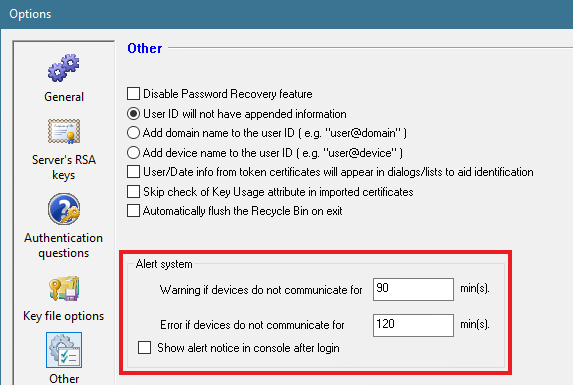
Step2: Enable the Scheduled Tasks option in the SDConnex Configuration. If your SDConnex service is already running, restart the service for the changes to take effect. NOTE: For customers with multiple SDConnex servers, the Scheduled Tasks option must only be enabled on the SDConnex server that is configured to generate alerts
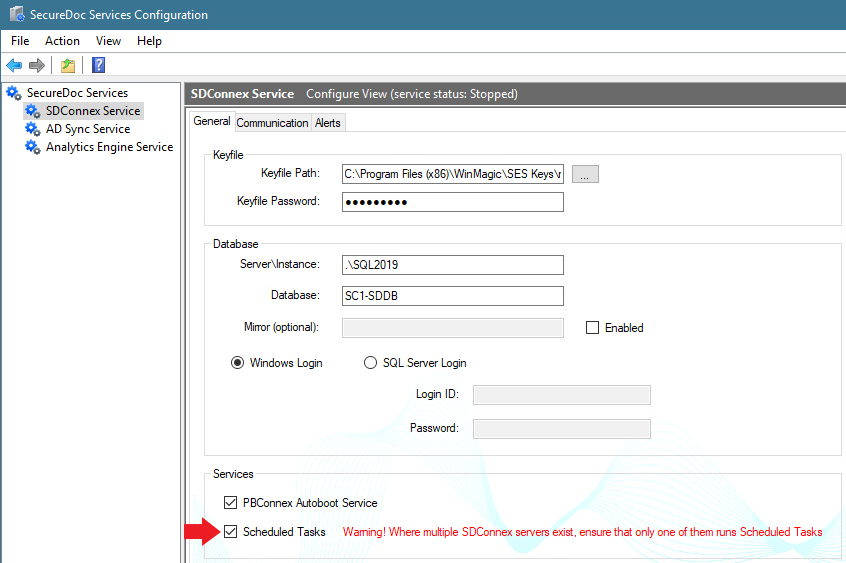
Step3: Go to the Alerts tab and check the Enable Alerts checkbox, then complete the email configuration 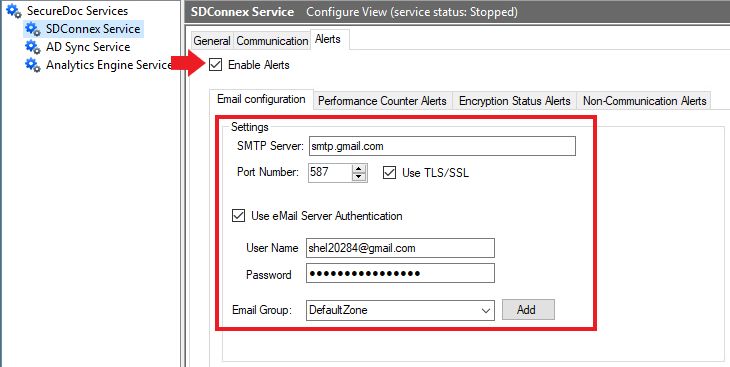
Step4: Once the alerts are enabled, you must include a to and from emails for Performance Counters, Encryption Status and Non-Communication, even if you only select one of the alerts 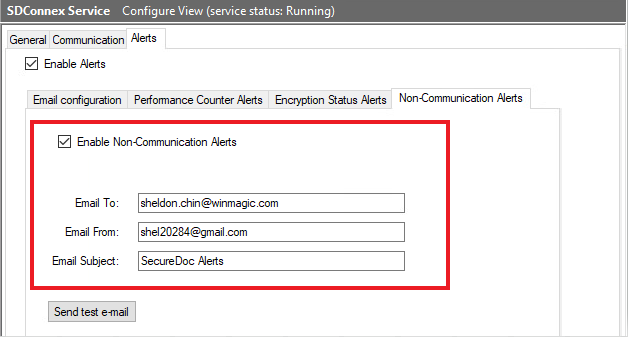
Step5: Start SDConnex service or restart the service if these are changes made while the service is already running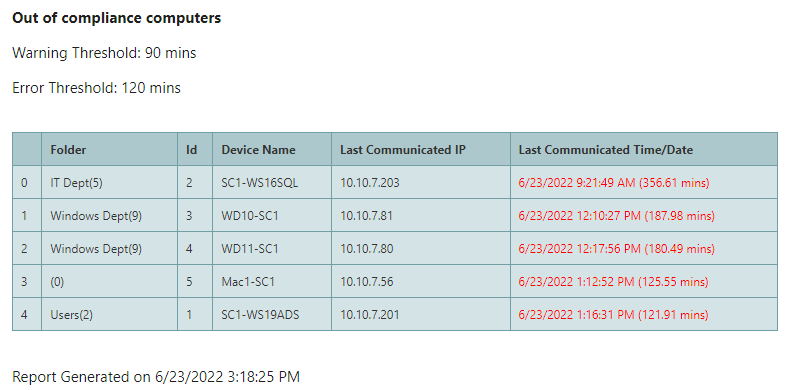
Once the service is running and the conditions are met, you should receive emails