Title: What is ‘Prevent Login to Device’ and how to use it.
Summary :
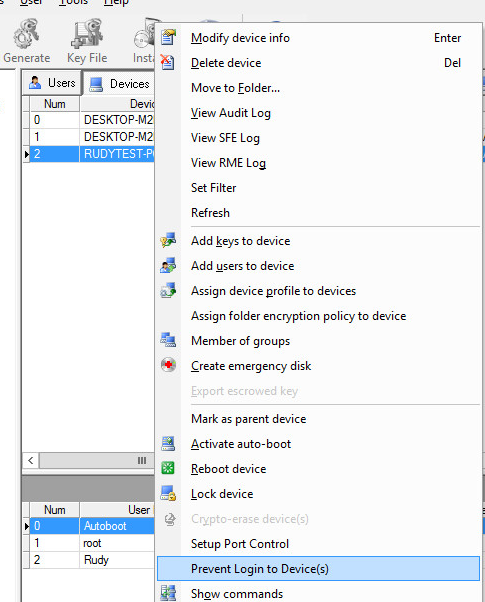
This command (new in V8.6) permits the Administrator to send a command to lock all the Key Files on one or more devices, ensuring that no user can log on to the devices using regular Pre-Boot Authentication.
To prevent users from being able to log in to any of the Key Files resident in one or a number of devices.
1. Right-click on one or more devices or a folder, and choose Prevent Login to Device(s)
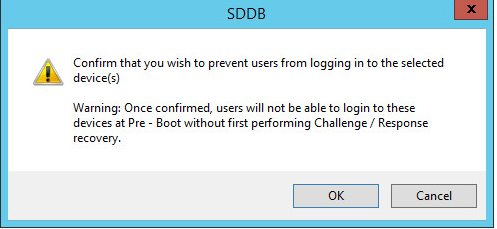
2. You are prompted to confirm the action.
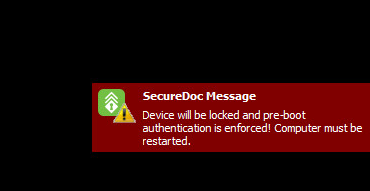
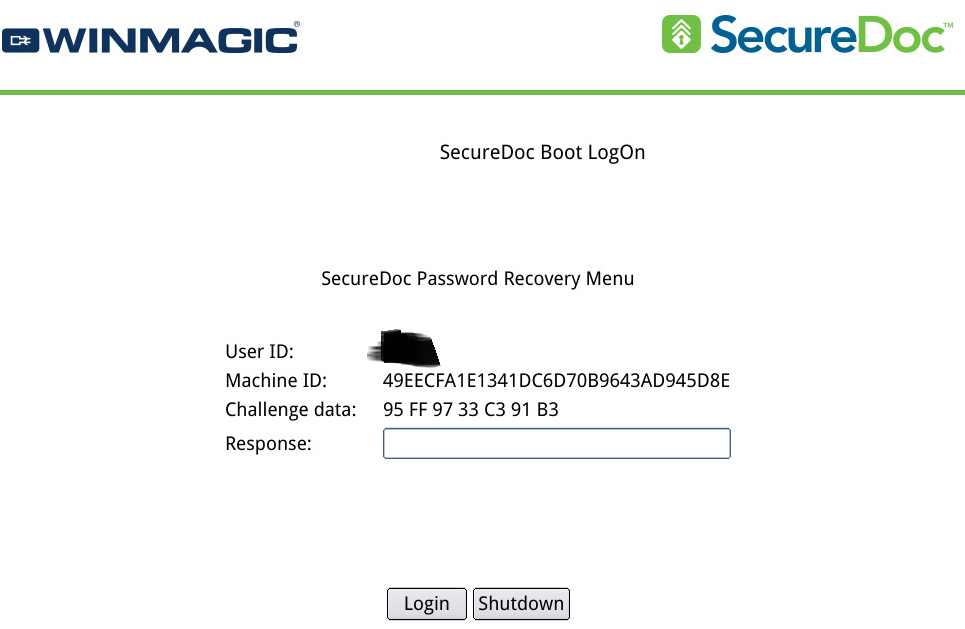
When this remote command is received by the endpoint device, it will will restart and remain at Boot logon, but will prevent users from being able to log in using their key file credentials.
The only way the user will be able to access the device and boot into Windows will be if the user preforms Challenge/Response access recovery with the assistance of the SES Admin or a Help Desk staffer.
Benefit: This option can lock devices without the complexity or finality of Crypto-Erase (which can be irrecoverable if using Self-Encrypting Drives), so it is suitable if a client device is lost or stolen - all access to the data (and to the Operating System) in the device is blocked.
Example:
On SES Server:
On SecureDoc client:
NOTE : This command requires that both the client device and the SES Server be running v8.6 or higher.