How to enable and use Secure Wipe
When a file is deleted from Windows, only the reference to the file is removed from the file system table. The file still exists on the disk until new data overwrites it. This make the existing data vulnerable to recovery in the event the disk is stolen
Secure Wipe is a feature that prevents data from being recovered. Configure the Device Profile by enabling the option “Secure Wipe permits users to Wipe a file” and specify the number of times the data is overwritten. The higher the number of times it is overwritten, the less likely the file is to recover. Push the profile to devices needing it feature.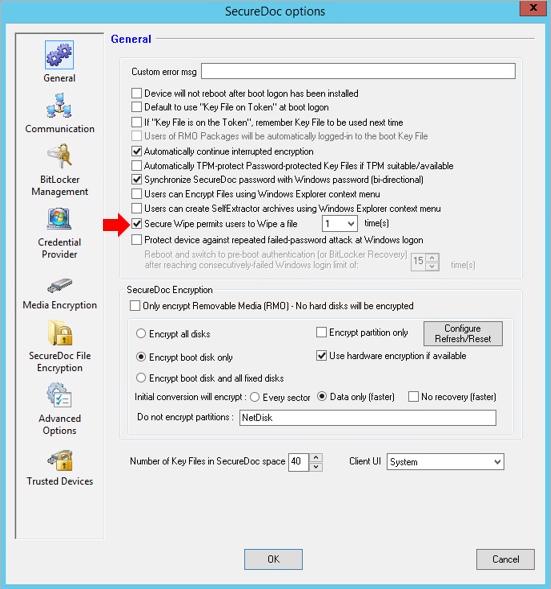
On the client PC, an admin user is required to login and enable the option “Enable Wipe File option in Windows Explorer context menu” and click OK to save the setting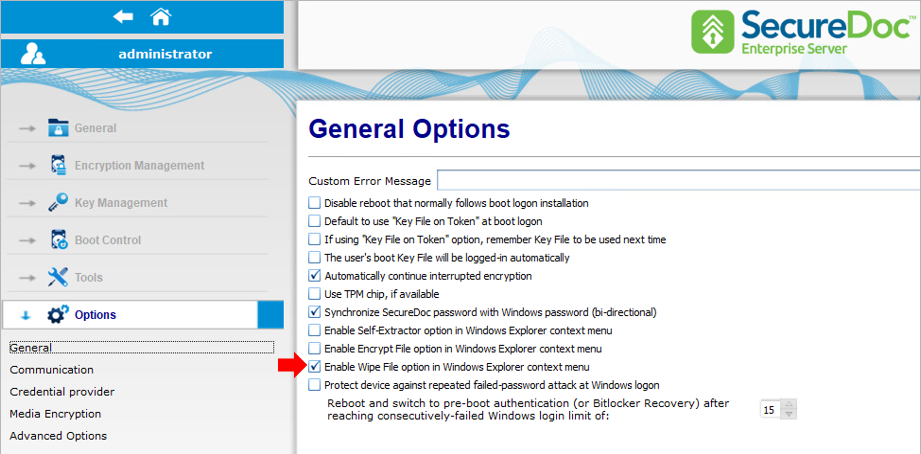
After adding the option in the SecureDoc Control Center, the SecureDoc Wipe File option should be available in the right-click Windows explorer context menu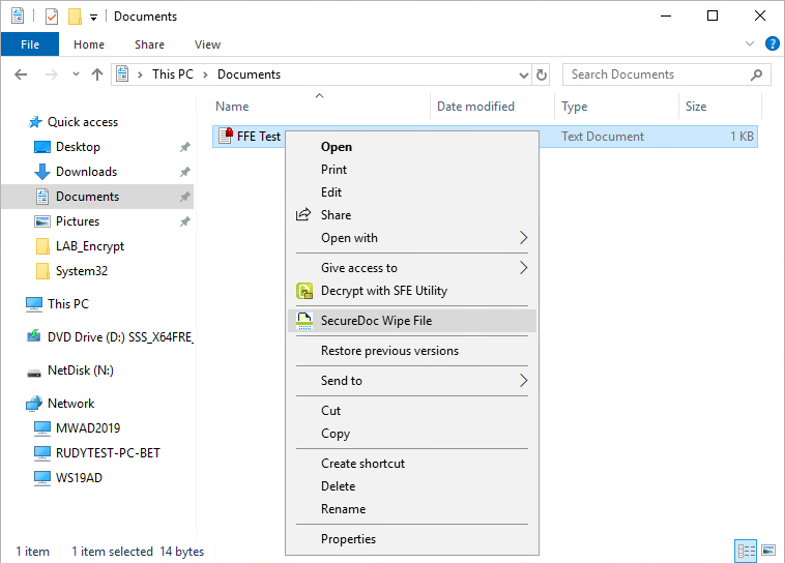
Confirmation prompts to delete the file and once you confirm this, a SecureDoc notifications confirms the action. Note: The file will bypass the Recycle Bin, so ensure the file no longer needed before Secure wiping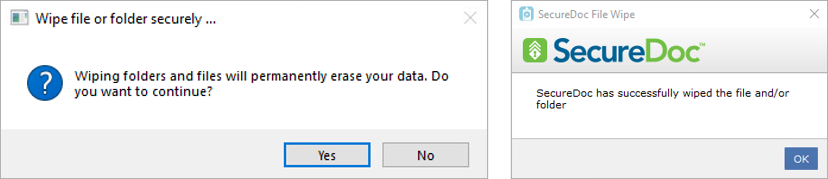
While the option has been enabled, it will not be applicable to system folders such as Program Files and Windows. Same for files hosted on shared Folder and Drives, these must be secure wiped from the Server or Workstation hosting the share.