WinMagic has discovered an issue between our SDOT for BitLocker feature and HP devices which was discovered in version 8.2.
PLEASE NOTE: This issue only affects HP computers that are using version 8.2 of SecureDoc on HP hardware with SDOT for BitLocker configured in the SecureDoc console in this manner. 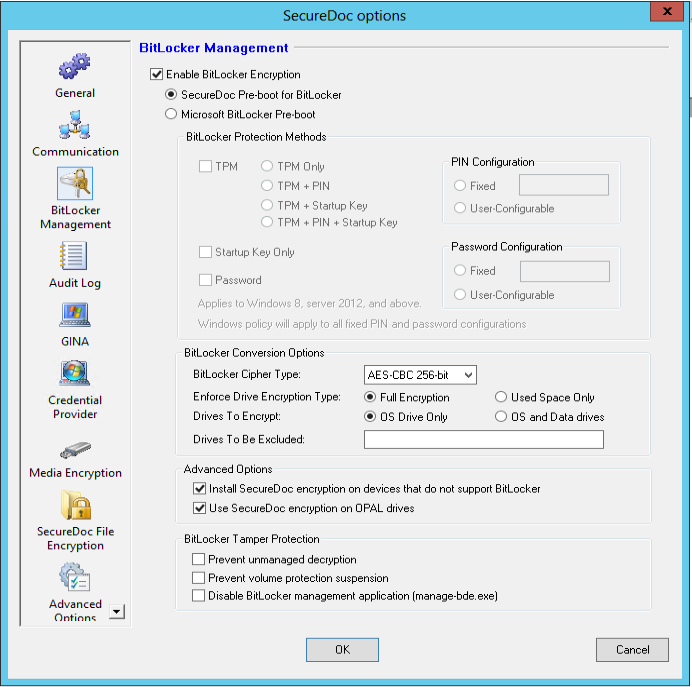
Issues and impact:
- Users will not be able to log into pre-boot after (installing new) SDOT for BitLocker on HP machines using SecureDoc v8.2 and newer.
- Users will not be able to log into pre-boot after (upgrading) their existing SDOT for BitLocker version to v8.2 and newer.
Workaround
For systems currently in the state above, the following instructions will be required to log into the system. These steps will be required for each restart:
- Turn on the device and repeatedly press <B> to bypass pre-boot and get to BitLocker login screen.
- Press <Esc> key to go to BitLocker recovery screen.
- Enter BitLocker recovery key (taken from SES for this device) and press <Enter>.
To fully resolve this issue, SecureDoc version 8.2 Hotfix 3 is now available. The release notes are available Here and you can obtain Hotfix 3 by contacting Technical Support.