Topic:
This How-To article provides instructions on how to create user's personal key to be use for encrypting files.
The purpose of creating individual personal key(s) is to protected information on removable media (USB, CD, DVD). The end user may also want to the key to be made available to multiple people within a group (i.e. department) to access data on a media. These AES encryption Keys are stored in key files.
Product version affected:
All SD versions
Environment:
Windows and Mac Devices
Steps to follow:
1. Please verify in the global options (Tools > Options > Key file options) that the option is checked off "Always include a personal key in key files" and users have the option enabled 'Convert Removable Media'.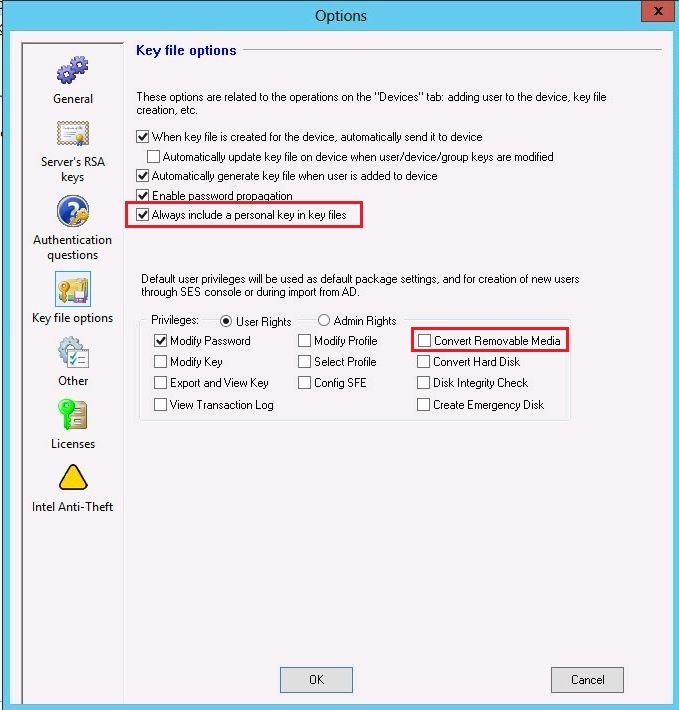
2. Under Users Tab > Right click on the user account and select 'Generate new keys for the users'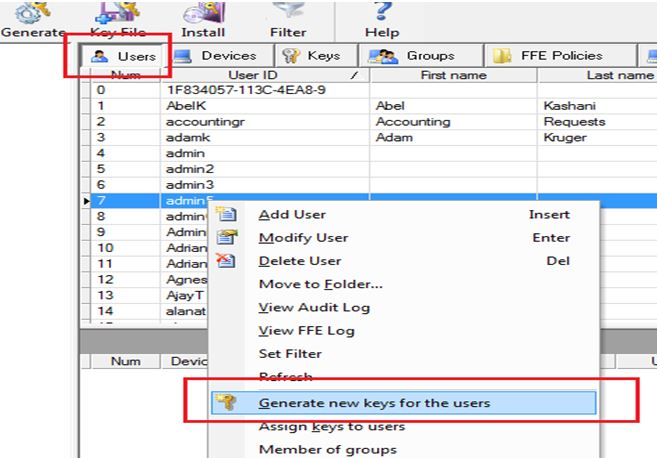
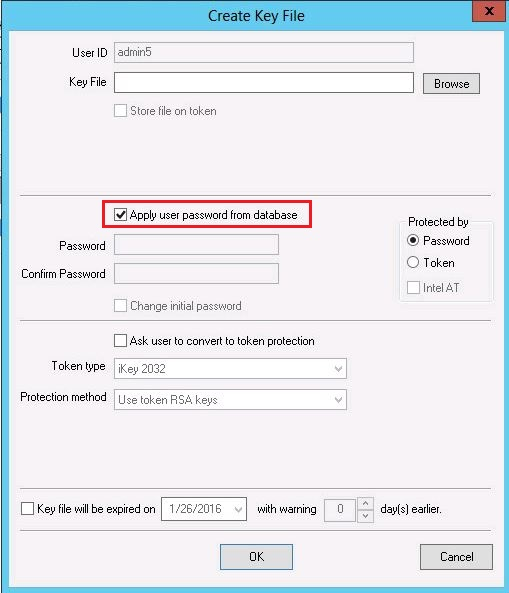
3. Under the devices tab > Right click on the user > Select 'Create Key File'
Select the option 'Apply user password from database' > OK
Communicate with the server and restart the device.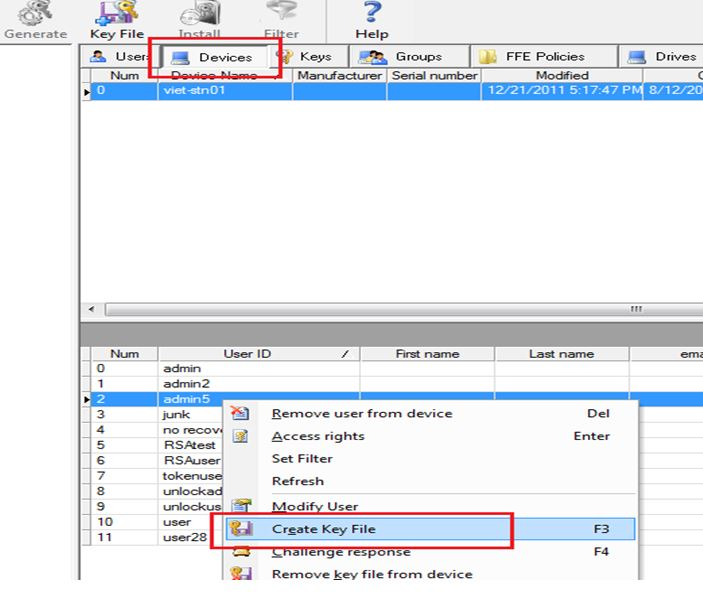
4. Once the end user logs back into the system,
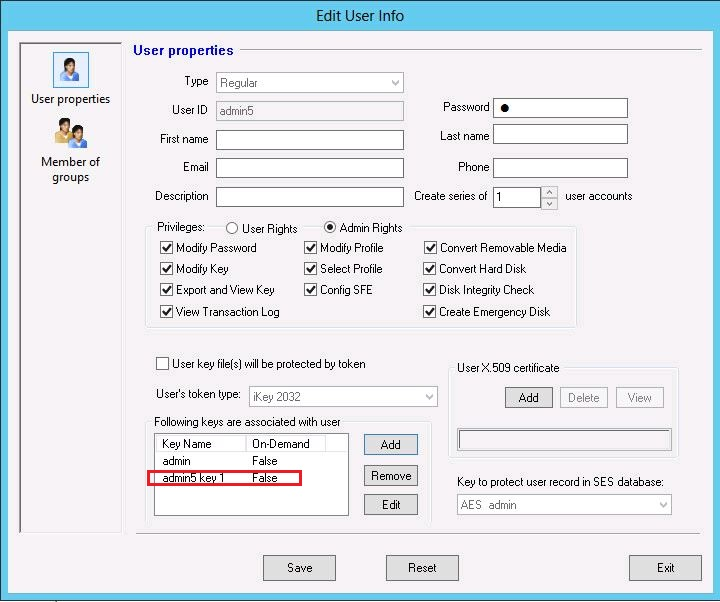
A new personal key is listed under the user account (Right click on the user and select 'Modify User').