Client may receive the following error, "No pre-boot keyboard detected. The user may not be able to provide input to unlock the volume"
0x803100b5 when running a WinMagic package to encrypt using BitLocker.
Slate Devices require a BitLocker Group Policy Setting to be enabled to run with SecureDoc packages for BitLocker (SecureDoc Preboot for BitLocker, or SecureDoc BitLocker Management) when PreBoot authentication is required.
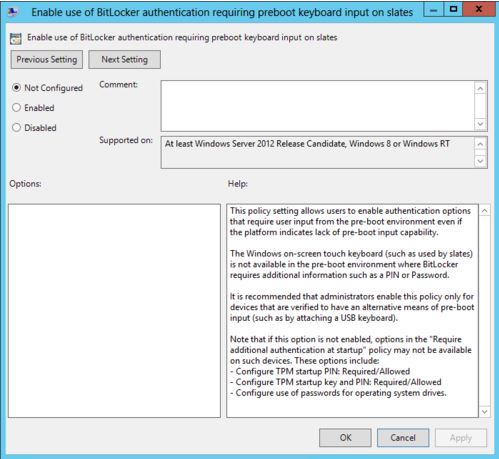
The Group Policy required is entitled: "Enable use of BitLocker authentication requiring preboot keyboard input on slates".
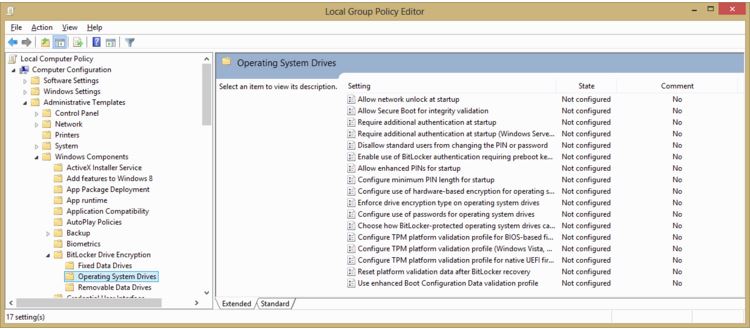
This policy can be found in the Local Group Policy Editor:
Computer Configuration > Administrative Templates > Windows Components > BitLocker Drive Encryption > Operating System Drives
Click on "Enable use of BitLocker authentication requiring preboot keyboard input on slates"
Click on the "Enabled" radio button
More information can be found on: http://technet.microsoft.com/en-us/library/jj679890.aspx#BKMK_slates