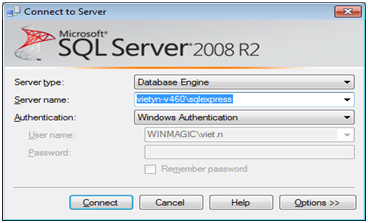
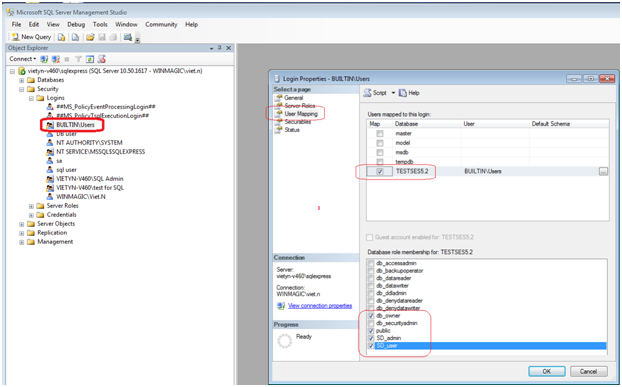
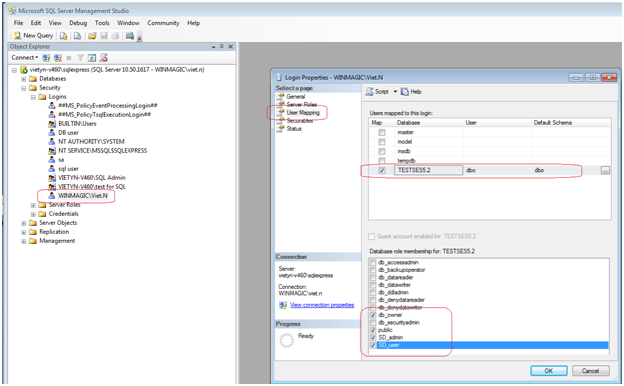
Check your credentials that you have when you log into SQL Server Management Studio. Please see screenshots below. Security --> logins --> builtin\users --> user mapping --> look at the database name i.e. testses2 (checked off) --> make sure you checked off db_owner, public, SD_admin and SD_user are checked off. Also look for your at your own credentials i.e Winmagic\Viet.n --> and checked off the same db_owner, public, SD_admin and SD_user
|
Custom Fields
|
1370 Legacy KB - SQL Server Access Rights
- Updated on Feb 6, 2026
- 1 minute(s) read
- VN
Was this article helpful?