How to convert the "blob" of error text shown in the SESWeb error panel into something we can read?
When errors are trapped within SESWeb (usually surfaced from within SDConnex, running as the middle tier, though not exclusively), a "blob" of error information is shown in a scrollable window at the bottom of the SESWeb panel, normally accompanied by a large error number near the top of the screen (that error number is normally an HTML error, and not very useful in troubleshooting). See screenshot below:
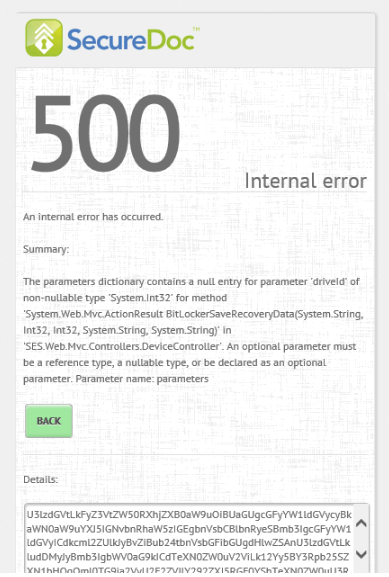
However... the blob of message text IS useful.
This message text is intentionally obfuscated to stop customers from easily learning more than they need to know, since typically these errors don't occur regularly, and usually need WinMagic Technical Support to aid in troubleshooting.
To support a customer, first, ask the customer to send you the entire contents of that scrollable message area in an email.
Copy the entirety of the string of characters to the clipboard
Open this link: https://www.base64decode.org/
Paste the clipboard contents into the prompt field in this web page, and the site should convert it back to readable format
The message should now be clear.
NOTE: Remember to create a KB article if you come across troubleshooting specifics we've never documented before - save yourself (and others) time in the future.