Error number:b0 Session Closed is shown when a Self-Encryption Drive resumes from hibernation after the installation of SecureDoc 6.5 SR3
Resolution to the warning message Error number:b0 Session Closed that is shown when a SED resumes from hibernation
Description:
After the installation of SecureDoc version 6.5 SR3 build 23 (Build 23 is original SR3 release), a warning message Error number:b0 Session Closed is shown when a SED drive resumes from hibernation. However, this does not impact the functionality or performance or security of the device.
NOTE: For HF2 patches, please contact WinMagic Technical Support.
Resolution:
To resolve this issue, choose the relevant option:
- HF2 patch for customers who have already upgraded to SR3 and also pushed SR3 client upgrade/new install
- Apply the patch on a 6.5 SR3 client machine to implement the fix. Installation will require a restart after completion of applying the patch.
- When the patch is applied, the client machine will locally show 6.5 SR3 HF2. See the illustration below:

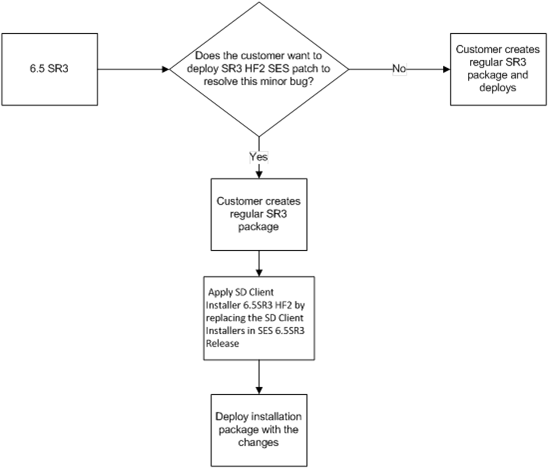
- Client full installer that upgrades the client package to SR3 HF2- This is for customers who have already upgraded SES to SR3 but haven’t pushed the SR3 client install.
- Replace the package files on the SES server with 6.5 SR3 HF2 package and deploy the product with the fix. SES will remain on 6.5 SR3; the installation package will only be adjusted.
- When the Client full installers applied, the client package will show 6.5 SR3 build 25 instead of build 23 (Build 23 is original SR3 release). See the illustration below:
Custom Fields
|