Current known limitation and issues noted from testing Surface Pro 4 Device
(1724)
Preliminary Info
The Surface Pro 4 comes initially installed with Windows 10 Pro. Surface Pro 4 initially was able to install SecureDoc using build above 7.1 SR1 however since Microsoft pushed windows updates to include the latest version of Windows 10 Creators edition (1703) , hence, it’s recommended to setup device using SecureDoc build 7.1 SR6 or higher.
Note: For recommended configuration settings to setup the Surface Pro 4 device, please refer to KB Article 1690
After installing SecureDoc, you may see during boot up process, it’s normal to see kernel window screen during boot up process
At the time of writing this article, the following hardware issues and limitations have been observed when using SD 7.1 SR6 or higher using Surface Pro 4:
Test Results
OS | BIOS Version | BIOS Mode | Encryption Type | SecureBoot | SES Build |
Win 10 (1703) | 107.1741.768 | UEFI Native | Software | Passed | 7.5.000.280 |
SecureDoc Device Comptibility Test Results | |||||
PBU | PBU – Wired PBConnex | PBLU | PBLU – Wired PBConnex | PBLU – Wireless PBConnex | Comment |
Passed | Failed SD-23469 | Passed | Passed | Failed SD-20758 | Touch & wireless not supported under PBLUx64 |
When Using PBLUX64
PBLU - Wired PBConnex – Passed under 7.5
PBLU - Wireless PBConnex – Failed SD-20758
PBLUx64
Touch and wireless - not supported.
There is ongoing testing for possible support in a future release specifically for wireless. There is an open ticket regarding wireless support which is being investigated for 8.1 build – SD-21342
There’s a requirement to enter a boot parameter: -console=null quiet nosmp acpi=off reboot=warm
Keyboard Detection
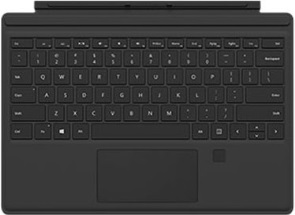
It's may be possible to encounter a keyboard detection issue depending on PID\VID. (this could happen in event MS releases a keyboard with different VID\PID hence potentially resulting in not being in PBLU list.
When Using PBU
PBU - Wired Connect PBConnex - Failed See SD-23469
The following hardware limitations have currently been noted using PBU (since BIOS doesn’t support them):
VGA Display with Dock -> no video output at BIOS time
Wireless Display Adapter -> no video output at BIOS time
VGA Display Adapter -> no video output at BIOS time
HDMI Display Adapter -> no video output at BIOS time
Native UEFI preboot (PBU) -> wired PBConnex with USB Ethernet Dongle Model 1663 is not working
Native UEFI preboot (PBU) -> wired PBConnex with Surface Dock Model 1661 is not working
Current Status: The PBConnex issues was resolved after version SES 7.1 SR4.
Internal Reference:
KB 1521 Internal KB: Limited Hardware and Preboot Features Support for Surface Pro 4 Devices
SD-19480 Internal reference to Jira case regarding issue addressed in SD 7.1 SR4
SD-21342 Open case for Wireless Support using pblux64
SD-20758 related to PBLU Wireless Connect failed (Win10 1703)
SD-23469 related to PBU Wired Connect failed (Win10 1703)