How to prepare and download SD Packages from SES Web Console
Overview
SecureDoc Enterprise Server (SES) introduced new capabilities for administrators: the ability to configure and download SecureDoc profiles and installation packages directly from the SES Web console. This enhancement streamlines deployment by allowing administrators to access installation packages without relying solely on the SES console.
Preparing the Installation Package
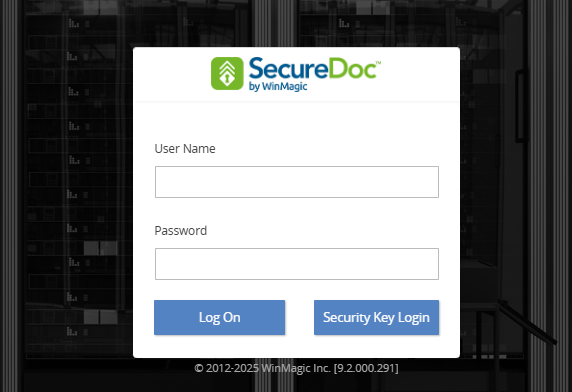
Log into the SES Web console
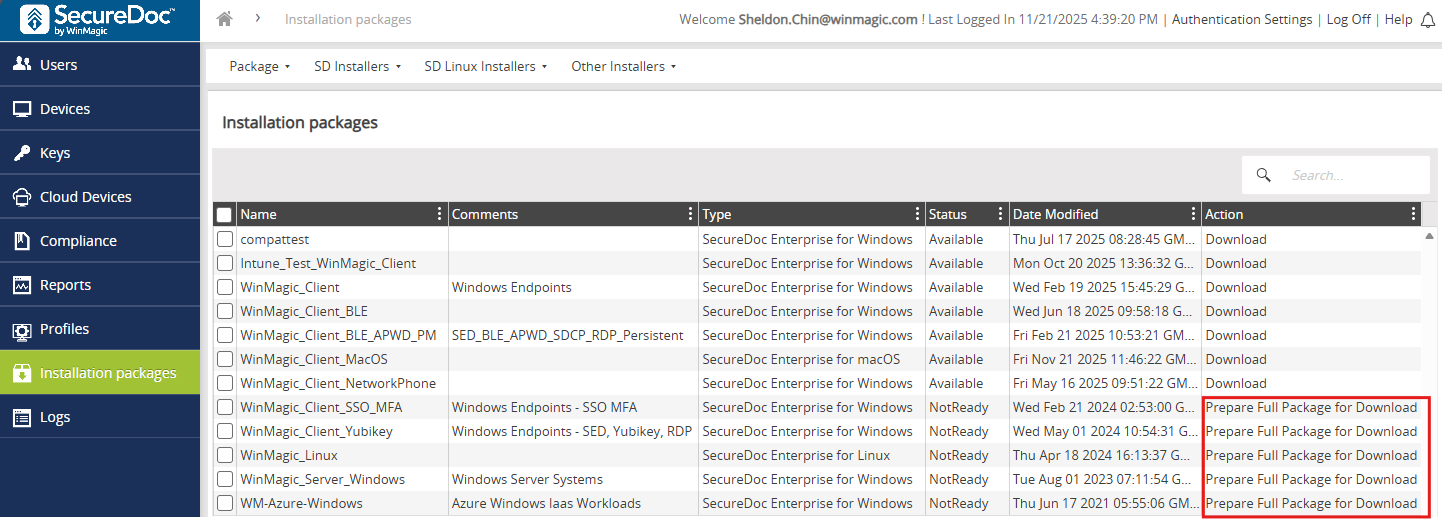
Go to the Installation Packages and click on the package to prepare it for downloading.
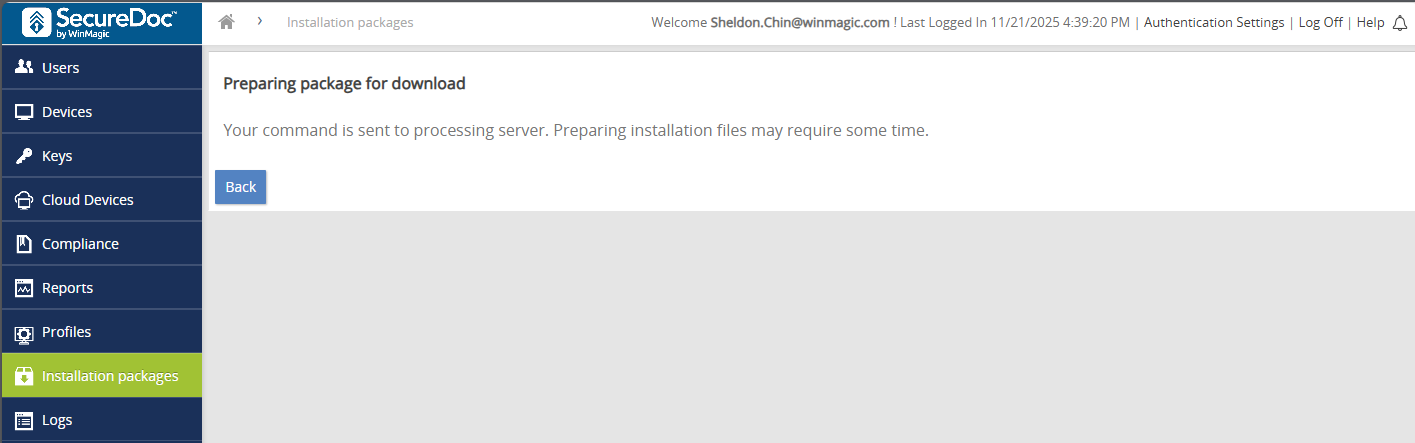
The Console will display a confirmation that your command has been sent for processing. The process is handled behind the scenes, ensuring administrators receive a ready-to-use package.
Hit the Back button to return to the Installation package list
Download the Installation Package
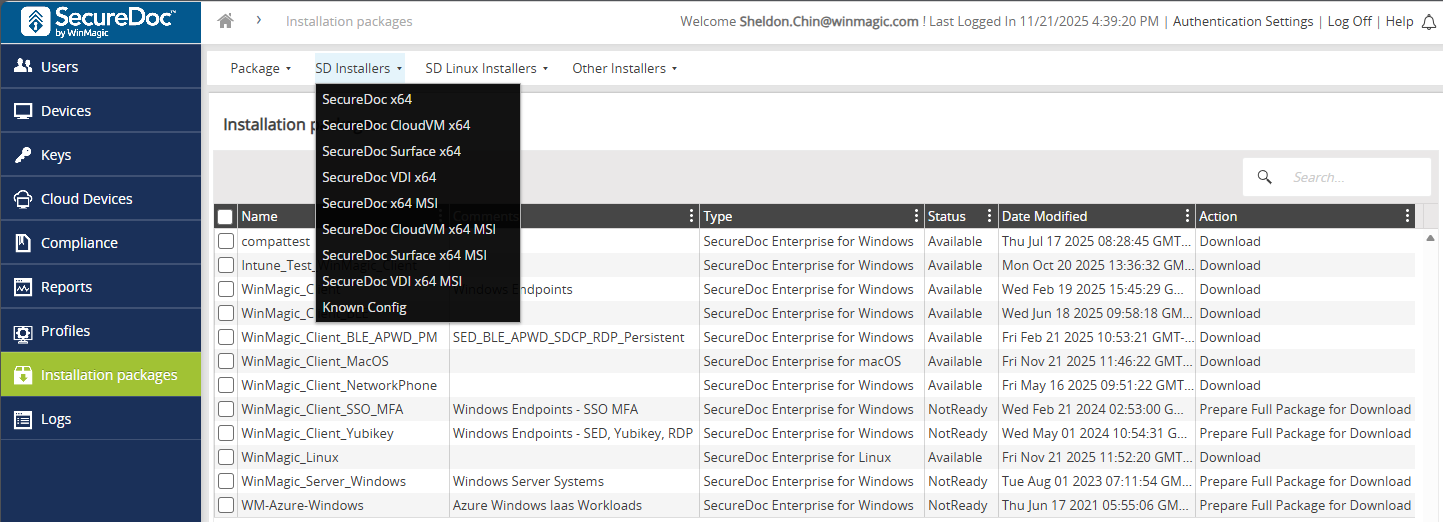
Download the package and select the appropriate executable for the target system.
What is contained in the archive?
The preparation process differs slightly depending on the operating system:
- Windows Installation Packages
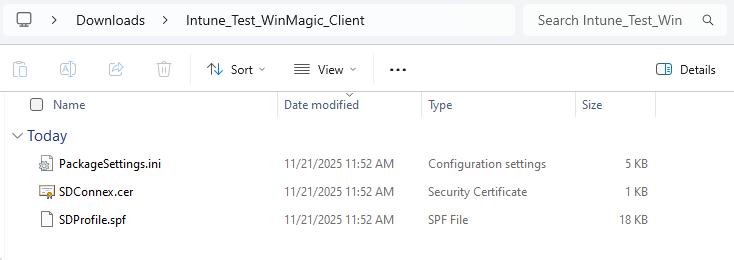
- When preparation is initiated, SES Web automatically generates a .zip archive with 3 files based on the package name. These three files are SDProfile.spf, PackageSettings.ini and SDConnex.cer.
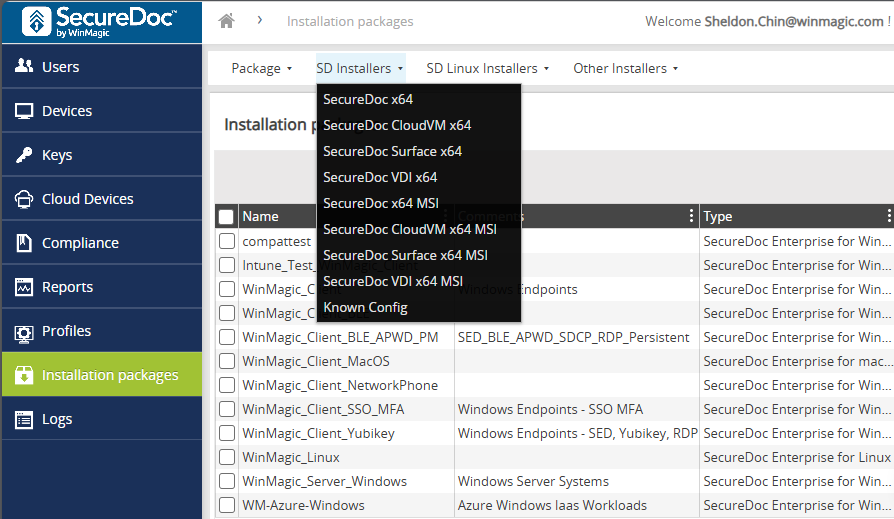
- The executables and KnownConfigs are downloaded separately from the SD installer tab.
- SDLinux Installation Packages
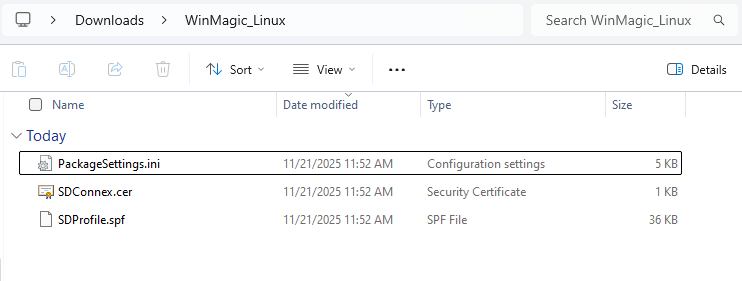
- The .zip archive contains 3 files: SDProfile.spf, PackageSettings.ini and SDConnex.cer.
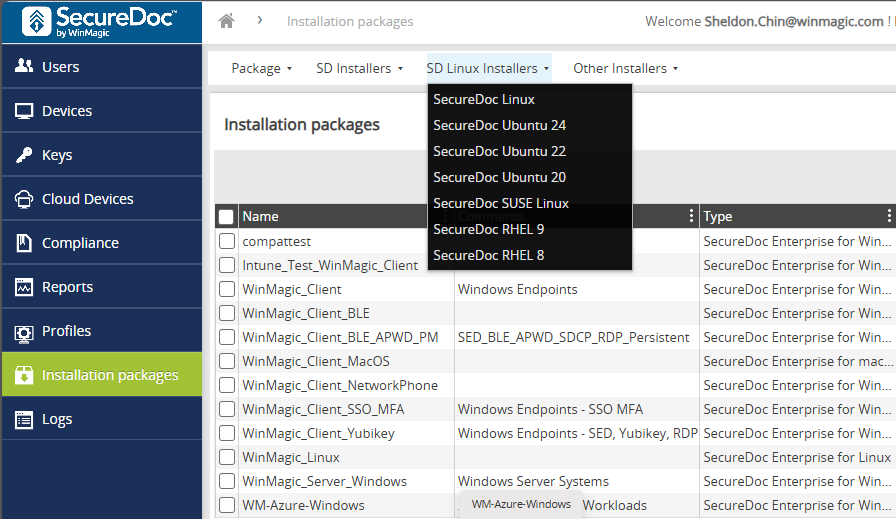
- The executable must be downloaded based on the Linux distro of the target system.
- No additional zipping or preparation is required.
- Apple macOS Installation Packages
- macOS packages are already distributed as a single .dmg archive file.
- No additional zipping or preparation is required.
This functionality allows administrators to quickly access installation files for deployment without returning to the SES console.
Key Points to Remember
- After clicking Prepare package for download, you must go Back before the actual download is available
- Windows packages are delivered as .zip archives, and you must download the executable separately.
- Linux packages are delivered as .zip archives, and you must download the appropriate executable separately.
- macOS packages remain in .dmg format.